EasyManua.ls Logo

Colortrac M25e - Automatic Updates; Firmware Installation

Colortrac M25e
129 pages
Print Icon
To Next Page IconTo Next Page
To Previous Page IconTo Previous Page
Loading...
M Series Service Manual
Page 116 of 129
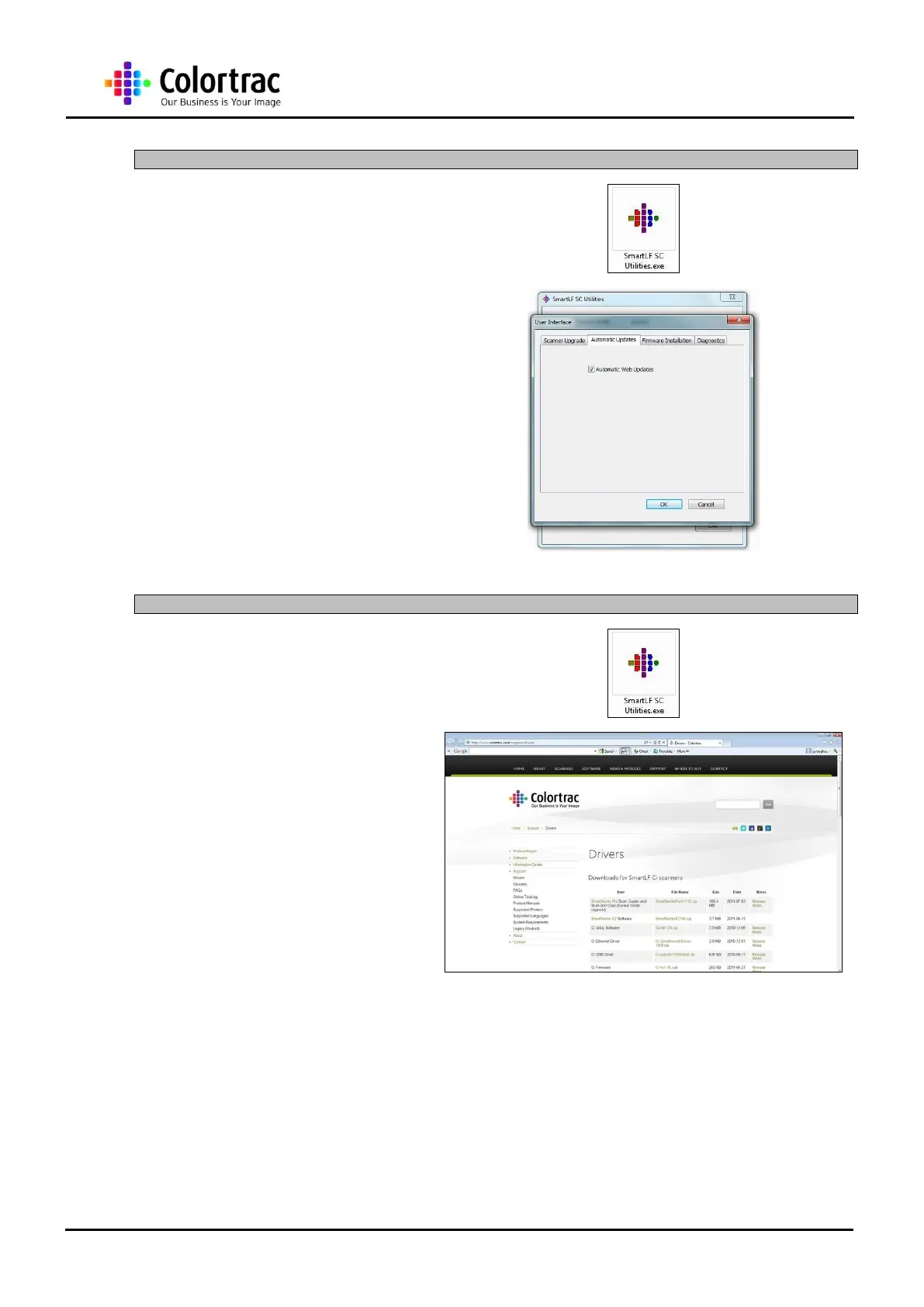
15.7 Automatic Updates
1. Follow instructions to the
Second Level Utilities in
chapter “15.5 Second
Level Utilities” page 115.
2. Highlight to request
automatic updates of the
utilities or scanner
information. De-select if the
PC does not have internet
connection.
15.8 Firmware Installation
1. Follow instructions to the
Second Level Utilities in
chapter “15.5 Second
Level Utilities” page 115.
2. Download the latest
firmware from the download
site:
h
h
t
t
t
t
p
p
:
:
/
/
/
/
w
w
w
w
w
w
.
.
c
c
o
o
l
l
o
o
r
r
t
t
r
r
a
a
c
c
.
.
c
c
o
o
m
m
/
/
s
s
u
u
p
p
p
p
o
o
r
r
t
t
/
/
d
d
r
r
i
i
v
v
e
e
r
r
s
s

Table of Contents

Related product manuals