13.7.1 Safety Precautions
Ensure that the power and USB cables are completely disconnected from the scanner unit.
Ensure the scanner is positioned on a stable maintenance platform.
13.7.2 Tools
Small Flat Screwdriver
13.7.3 Associated Part Numbers
10H129 : M40 Upper Covers Pack
10H082: M25 Upper Covers Pack
13.7.4 Important Information
For all photos, please refer to chapter “7 Photos Information” on page 9.
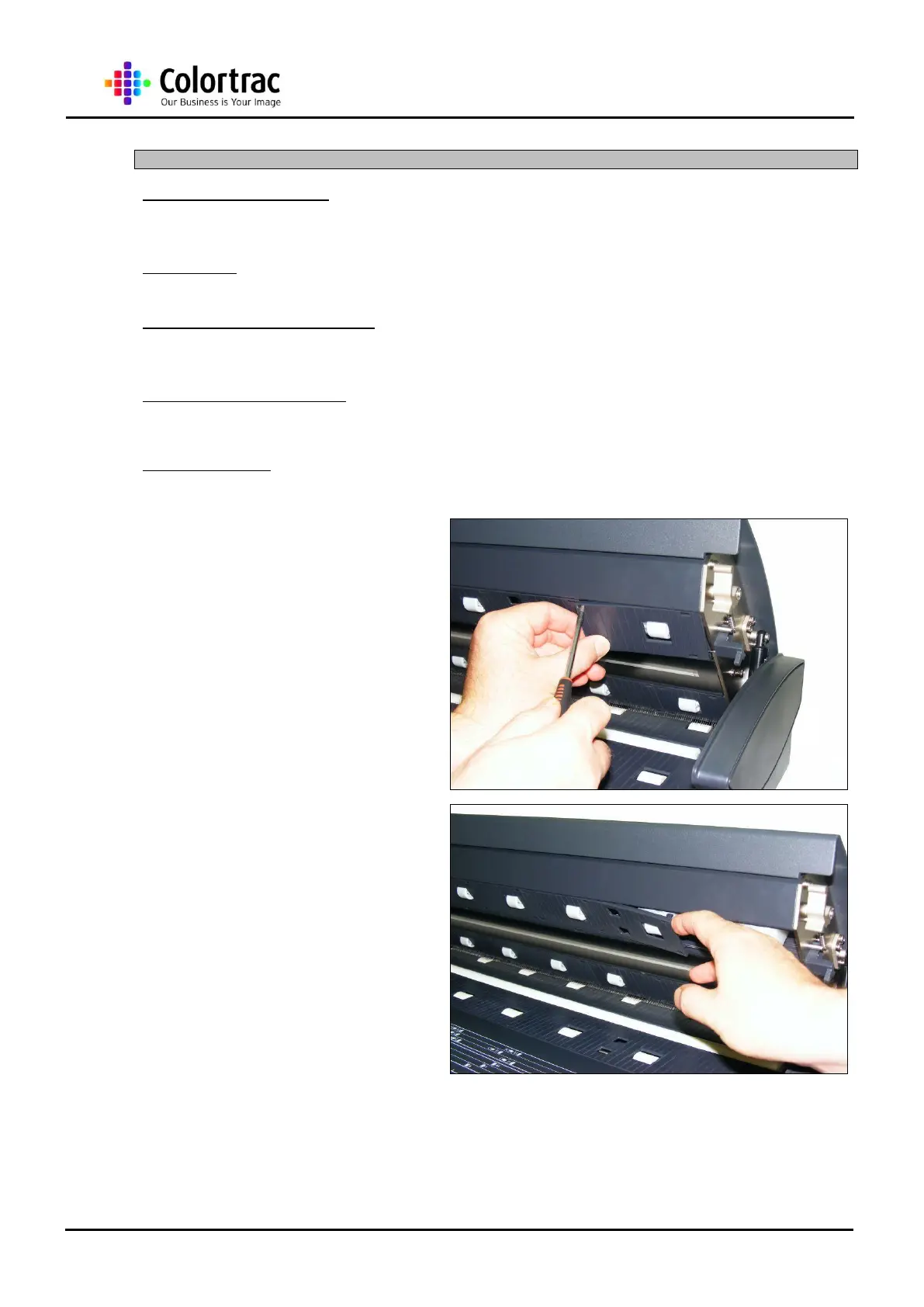
1. At one end of the Upper
Covers, insert a small flat
screwdriver into a locking
access hole. Gently lever the
screw driver by nudging it at
its top to release the latch.
NOTE: When removing the cover, be
extremely careful not to apply too much force.
2. Remove the covers, gently
pulling each from of the Lid
Assembly.












 To Next Page