Have 2 people to lift the scanner.
Keep the packaging for continued shipment of the scanner.
Calibrate the scanner on first installation.
Keep the Calibration target in a safe place for regular use.
Use the approved and supplied cables for the scanner.
Read the operator and installation manual before installation.
Fill out and return the installation form as soon as possible.
Do not scan paper with any form of metal fastener or post-it notes
attached.
Do not allow the scanner to get wet.
Do not drop the scanner.
Do not stand the scanner on its end (packaged or un-packed).
Do not leave the scanner open for any length of time.
Do not stand on the scanner.
Do not balance the scanner on an unsafe surface.
Do not scan thick media that is beyond its maximum limit.
Do not unplug the scanner during a scan sequence.
Do not let an end user remove any panels from the scanner.
Do not use any other power supply other than the approved one
supplied with the scanner.
Do not install the scanner on an un-even surface.
Do not install in a dusty or dirty environment.
Do not allow the USB cable to be pulled forcefully out of the scanner.
NOTE: Before work is carried out on the
scanner the power MUST be switched
off and the power lead removed from the
scanner.
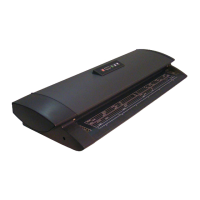
Some photos in this manual were taken during pre-production, and various stages of the
M Series development. Some colours / backgrounds / designs shown may vary from the
actual scanner being worked on. Some background panels may be shown in the photo to
be removed when they actually don’t need to be; however the instructions are still correct
and should be followed as described.












 To Next Page