14.6.1 Safety Precautions
Ensure that the power and USB cables are completely disconnected from the scanner unit.
Ensure the scanner is positioned on a stable maintenance platform.
14.6.2 Tools
Small Flat Screwdriver
Small Pozi-drive Screwdriver
14.6.3 Associated Part Numbers
10H070 : M40 Hold Up Roller Unit
10H049 : M25 Hold Up Roller Unit
14.6.4 Important Information
For all photos, please refer to chapter “7 Photos Information” on page 9.
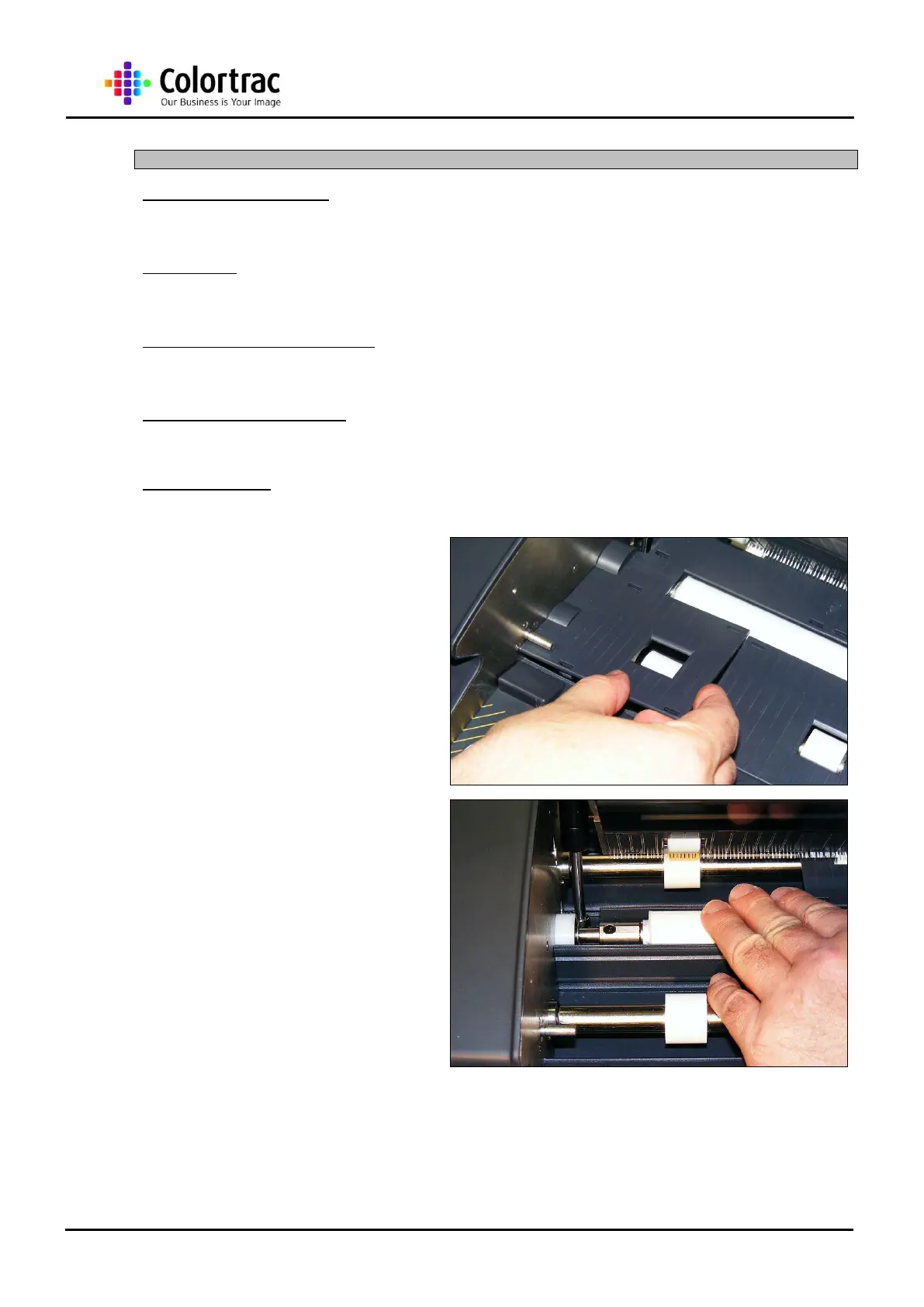
1. Remove the Lower Covers as
described in chapter “13.6
Lower Covers” page 31.
2. Rotate the Hold Up Roller
Unit until the screw nearest
the End Plate is accessible.
NOTE: This can be hard to rotate due to the
belt connection to the Motor Drive. Rotating
the Drive Roller Unit at this point will also
rotate the Hold Up Roller Unit.












 To Next Page