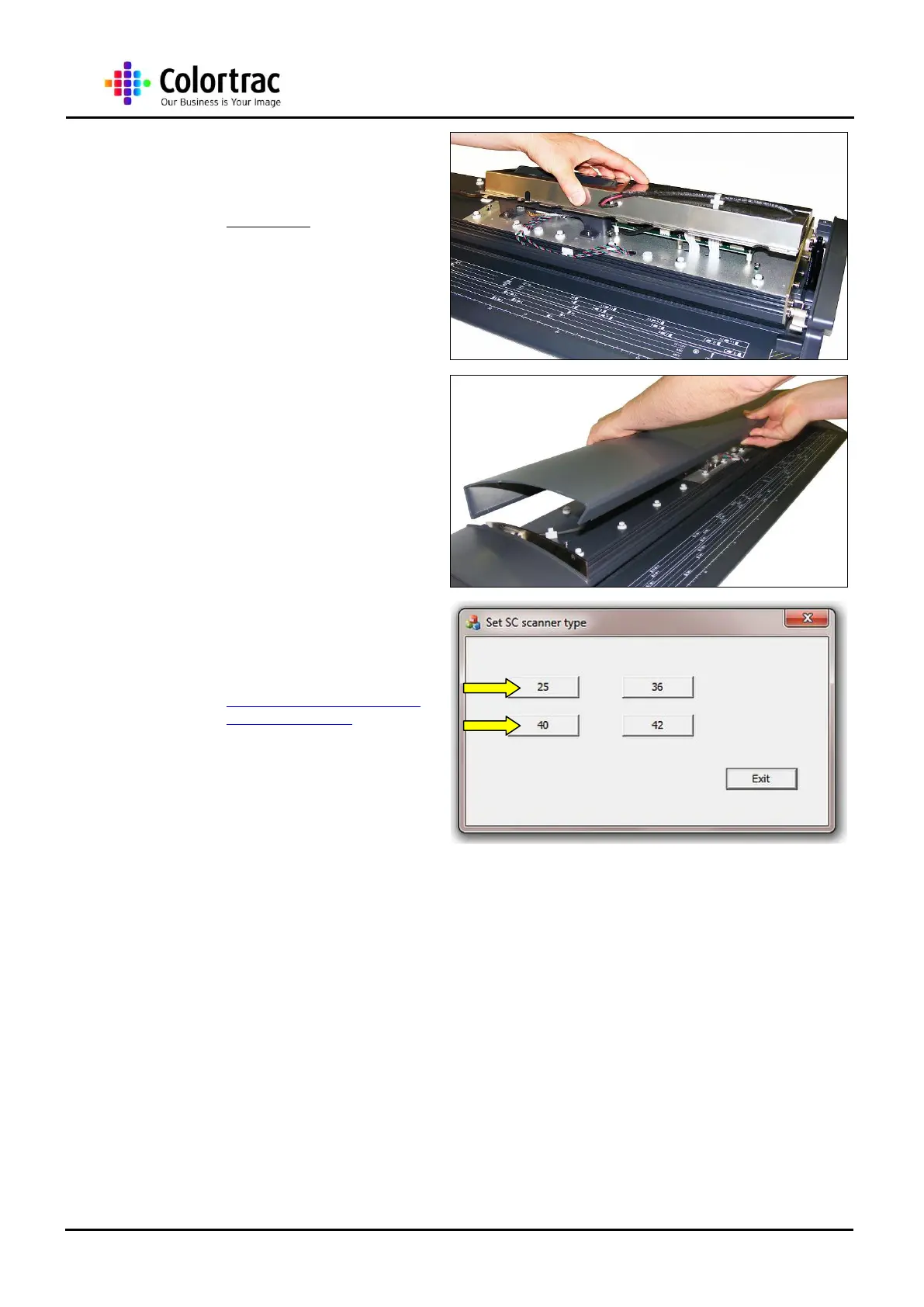
26. For the M25, the Main Board
Cover sits back over both the
Main Board and the Control
Board Bracket Assembly.
27. Replace the Top Lid Cover
as described in chapter “13.4
Top Lid Cover” page 24.
28. Power up the PC and
scanner and download the
Configuration program from
www.mseries.colortrac.com/
Mconfiguration.zip and
configure to the correct
scanner model length.
Note: This is the same program as used for
the ordinary Colortrac SC scanners, and only
the 40 and 25 will allow the scanners to work
with the software.
29. Reconnect the Power and USB cables to the Scanner and power up the scanner and
Utilities Program on a PC.
30. Set the Motor Speed as described in chapter “16.3 Motor Speed” page 122.
31. Re-cycle the power for the scanner and re-cycle the utilities program.
32. Download the latest firmware as described in chapter “15.8 Firmware Installation” page
116.
33. Re-cycle the power to the scanner and re-cyle the utilities program.
34. Run the Calibration as described in chapter “15.2 Calibration” page 112.
35. Run the Auto-stitch as described in chapter “15.9 Auto-stitch” page 118.
36. Re-cyle the power to the scanner.












 To Next Page