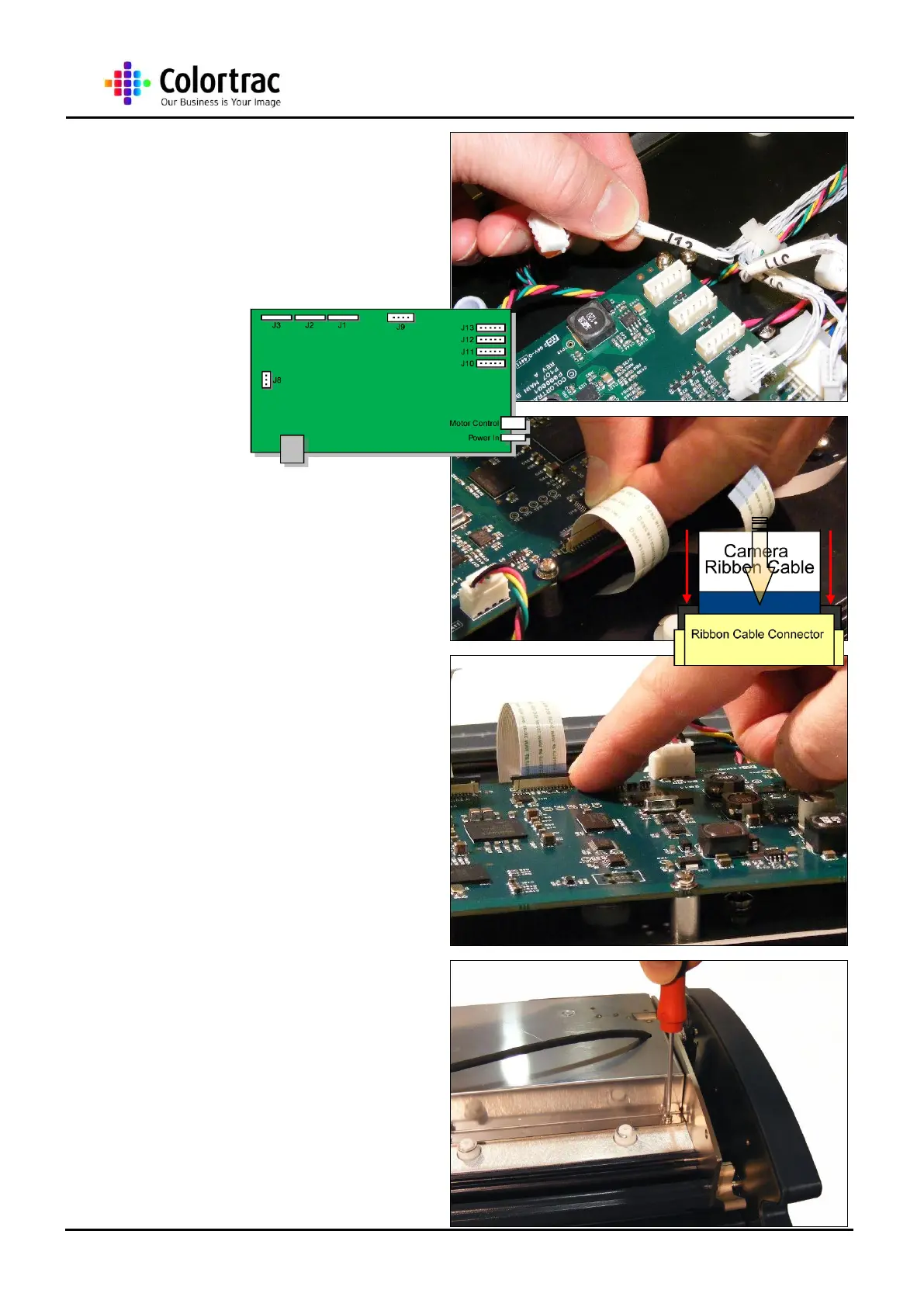
20. Reconnect the 4 x LED
cables into their reference
position on the Main Board.
21. Re-insert the CIS Ribbon
cables into J1 - J3 (model
dependent). Make sure the
locking plate is up before
inserting the ribbon.
22. When the CIS Ribbon cable
is fully in place, press both
side of the locking plate down
to make connection
23. Refit the Main Board Cover
as described in chapter “14.1
Main Board” page 45.












 To Next Page