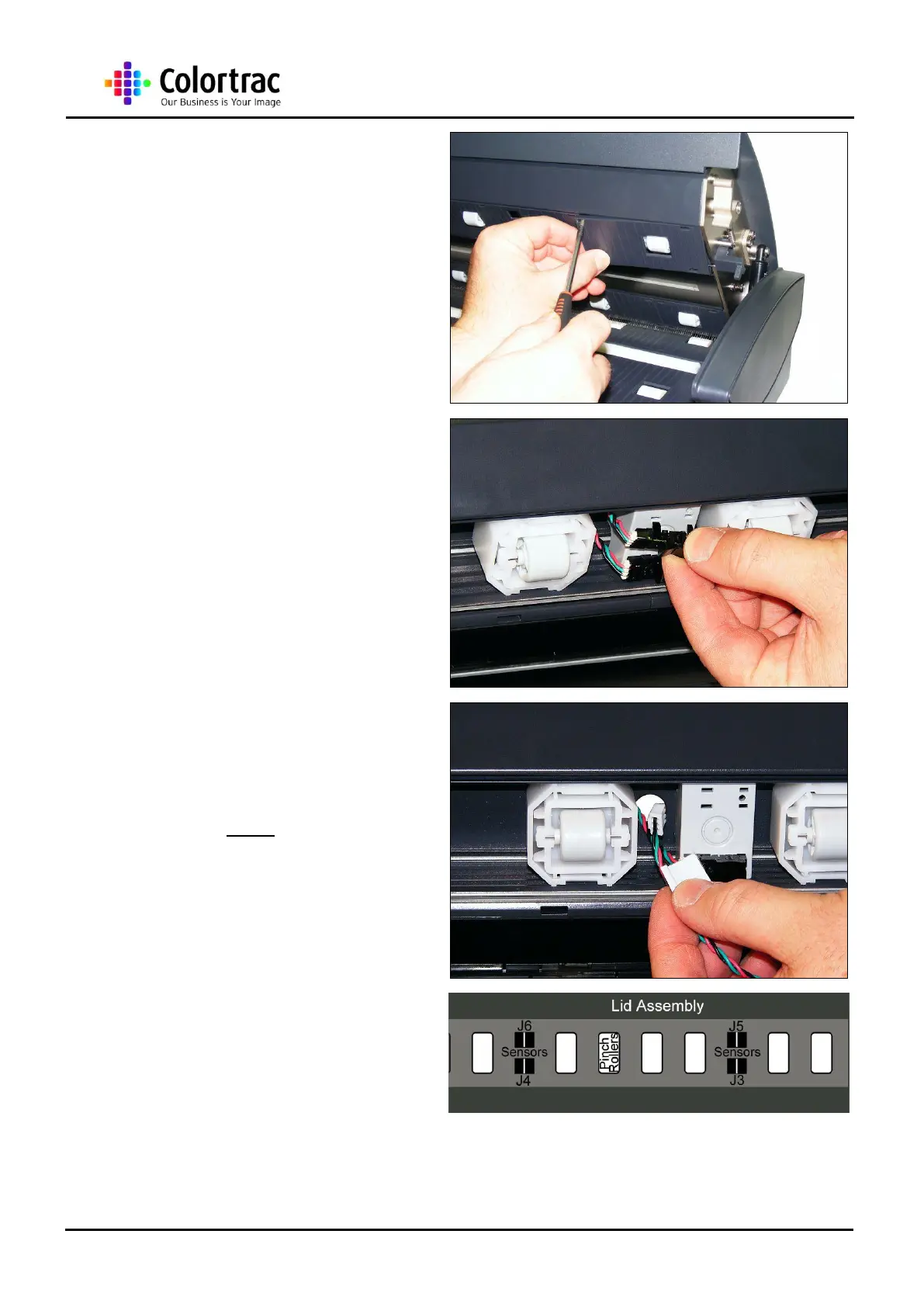
3. Remove the Upper Covers as
described in chapter “13.7
Upper Covers” page 35.
NOTE: Only the Upper Covers associated with
the Paper Sensor needs to be removed.
4. Gently pull the Paper Sensor
until it is free from the
bracket.
5. Gently pull the Paper Sensor
Cable free from the Lid
Assembly.
6. To refit the Paper Sensor
Cable, insert back through
the hole in the Lid Assembly.
NOTE: Each Paper Sensor has an individual
reference number. Match the numbers on the
Sensor and Cable.
7. Make sure the Paper Sensor
layout is as shown.












 To Next Page