ION
®
-E Series Hardware Installation Guide M0201AA
Page 22 © June 2017 CommScope, Inc.
WCS-2 and WCS-4 Subracks and Modules
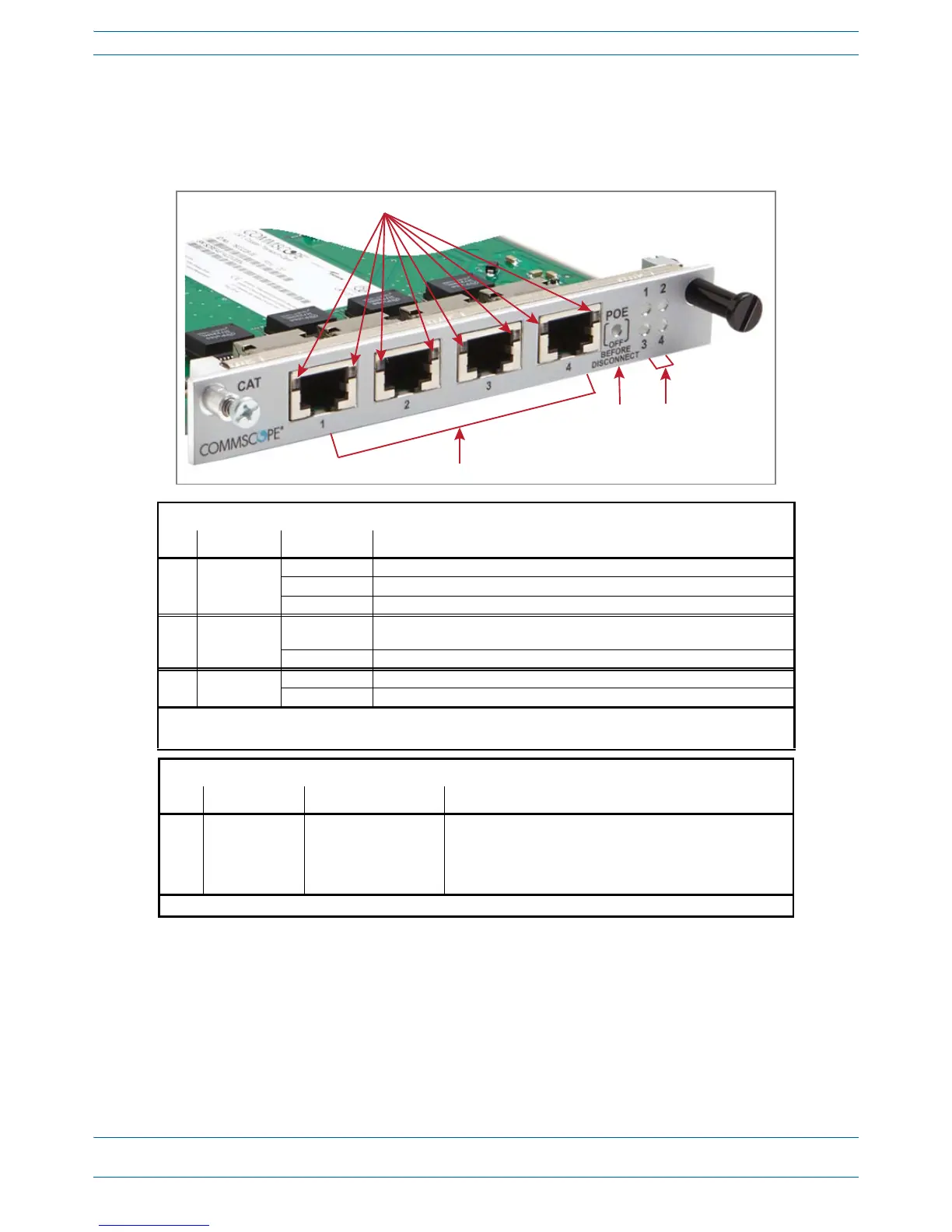
Copper Transport Card (CAT)
TheCATCardprovidespowerand10GbpsdataoverCat6AcablestoUAPs.YouinstallaCATCardinSlots
L1
-L4oftheWCS-2orWCS-4Subrack.
CAT Card LEDs
Ref # LED LED Color Description
1 RJ45 1 - 4 • Off • No link between the CAT Card and the UAP
1
to which the port is connected.
• Green • Indicates that a 10G link is established.
• Yellow • Indicates that a 1G link is established.
2
3 POE •Off •Power over Cat6A between the CAT Card and the UAP has not been
established.
•Green •Power over Cat6A established between the CAT Card and the UAP.
4 Port • Off • No power to the subrack.
•Red •Active fault on that link.
1 Unless otherwise noted, the use of “UAP” collectively refers to the UAP, UAP-X, UAP-N25, and the CAP L.
2 1G link is not currently supported.
CAT Card Connectors
Ref # Component Device Function
2 Port 1 - 4 RJ45, Cat6A
Connects the CAN/TEN to UAPs over Cat6A cables.
1
• Each CAT Card can support a maximum of six UAPs.
• A CAN/TEN with four CAT cards installed can support up to
twenty-four UAPs.
1 Unless otherwise noted, the use of “UAP” collectively refers to the UAP, UAP-X, UAP-N25, and the CAP L.
2
1
34


 To Next Page