M0201AA ION
®
-E Series Hardware Installation Guide
© June 2017 CommScope, Inc. Page 29
Installing Subracks and PSUs in an Equipment Rack
Connect the RFD Cards
1 Followthestepsin"InstalltheCANandTENCards”onpage27toinstalltheRFDCardsintotheWCS
SubrackSlotsR1-R8,asneededforaCANconfiguration.
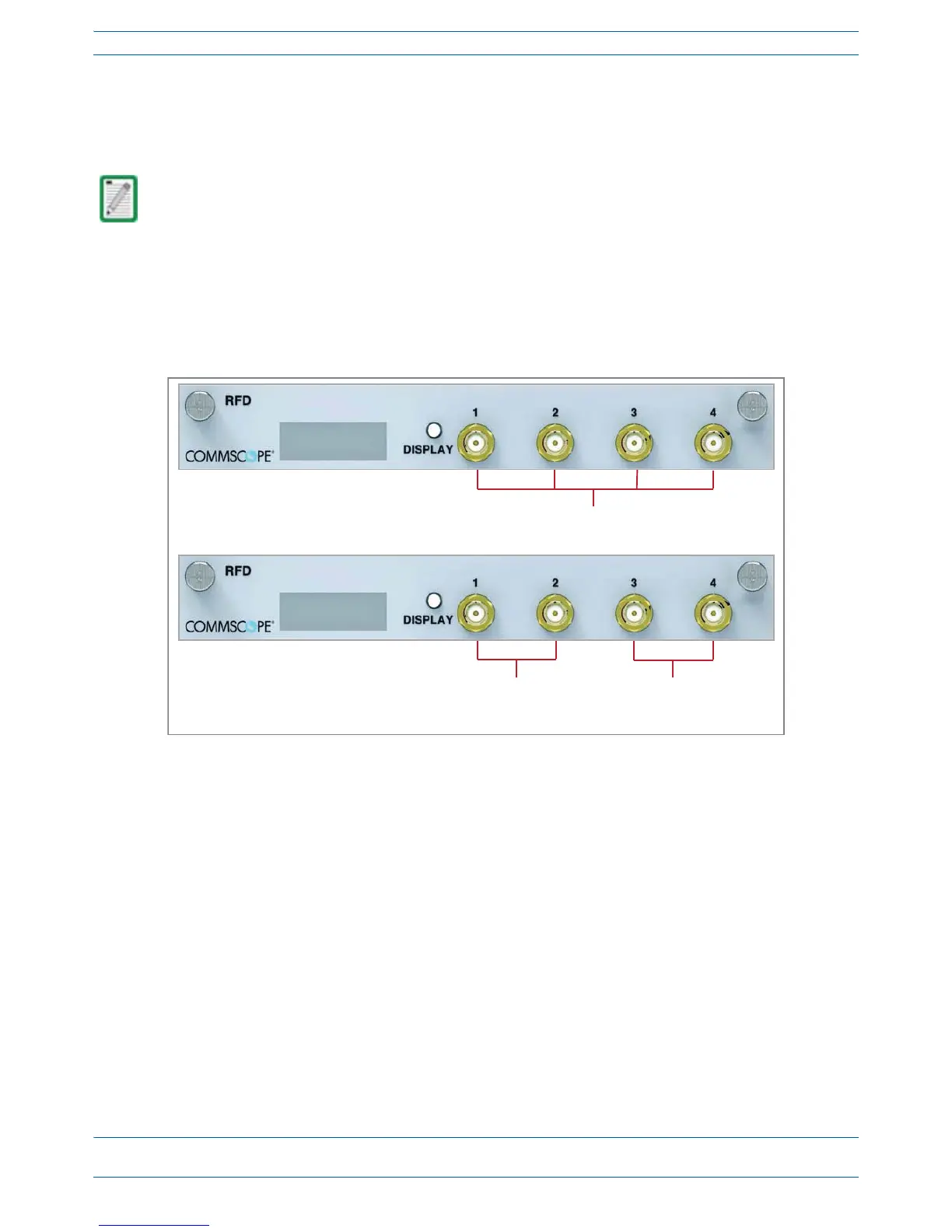
2 ConnectRFcablesfromtheBTS/eNodeBore-POItotheduplexQMAconnectorsoftheRFDcards.
• SISOservicessuchasCDMA,UMTS,GSM,andLTESISOcanbeconnectedtoanyactiveport.
• LTEMIMOpairsmustbeconnectedonthesameRFDCard,asapairto:Port1andPort2ortoPort3
andPort4.
3 IfthesignallevelsoftheBTSexceedthemaximuminputlevelof+27dBm,ane-POIRFcardorother
suitableattenuatormustbeusedtoattenuatethesignal.ForoptimumPIMperformance,thecomposite
levelintoaDonor(RFDCard)portshouldbelessthan16dBm.Ifonlyonecarrierisinaband,PIMis
probablynotaconcern.Forthecaseoftwoormorecarriersinaband,spuriousintermodsduetoPIM
couldlandintheULcausinginterference.WhetherornotPIMwillcauseinterferencedependsonthe
spacingbetweenULandDLandthefrequenciesofactivecarriers.
TENs do not support RFD Cards.


 To Next Page