17
2.5 Battery Cabinet Cable Entry
Cables within the ESS and between the ESS and other external equipment must be routed through the holes on the bottom of
the cabinet. All cables entering the cabinet must run through cable tray or conduit for proper protection from corrosion and
rodents. After the cables are installed, fireproof putties must be applied to seal the holes.
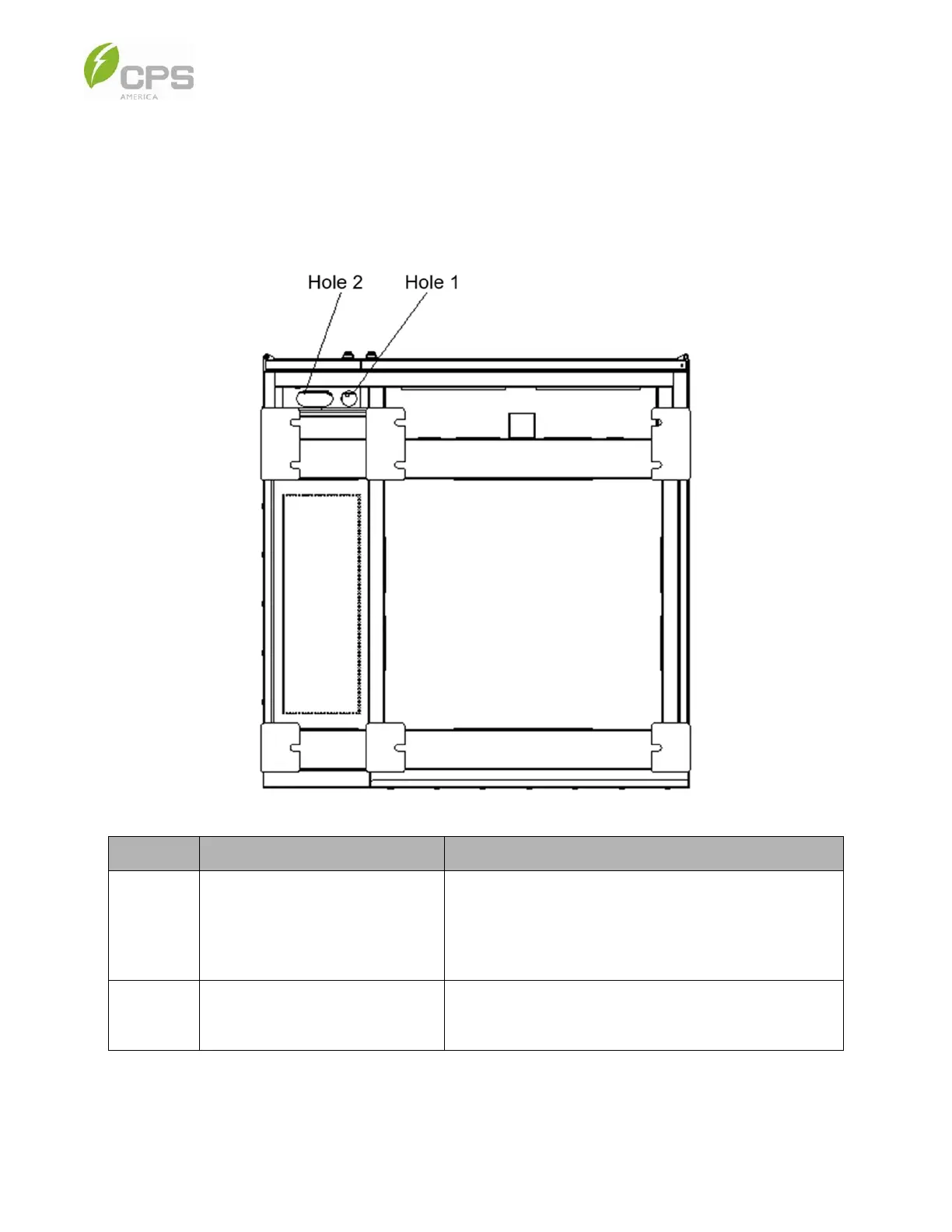
The cable hole locations are shown in the image below.
Figure 2-5 Bottom View of Battery Cabinet
No. Use Description
Hole 1
Communication cable
and auxiliary power cable
The communication cable is used for connecting
the BMS (mounted on the front door of the PCS cabinet) to
the external control system; the auxiliary cable is used for
powering the control box and liquid cooling chiller.
Hole 2
DC cable
(high voltage / current)
The DC cable is used for connecting the HV control box
of the battery cabinet to the PCS cabinet DC input.



 To Next Page