Product Manual — Doc. 8559B 4-Series™ Control Systems • 119
Network
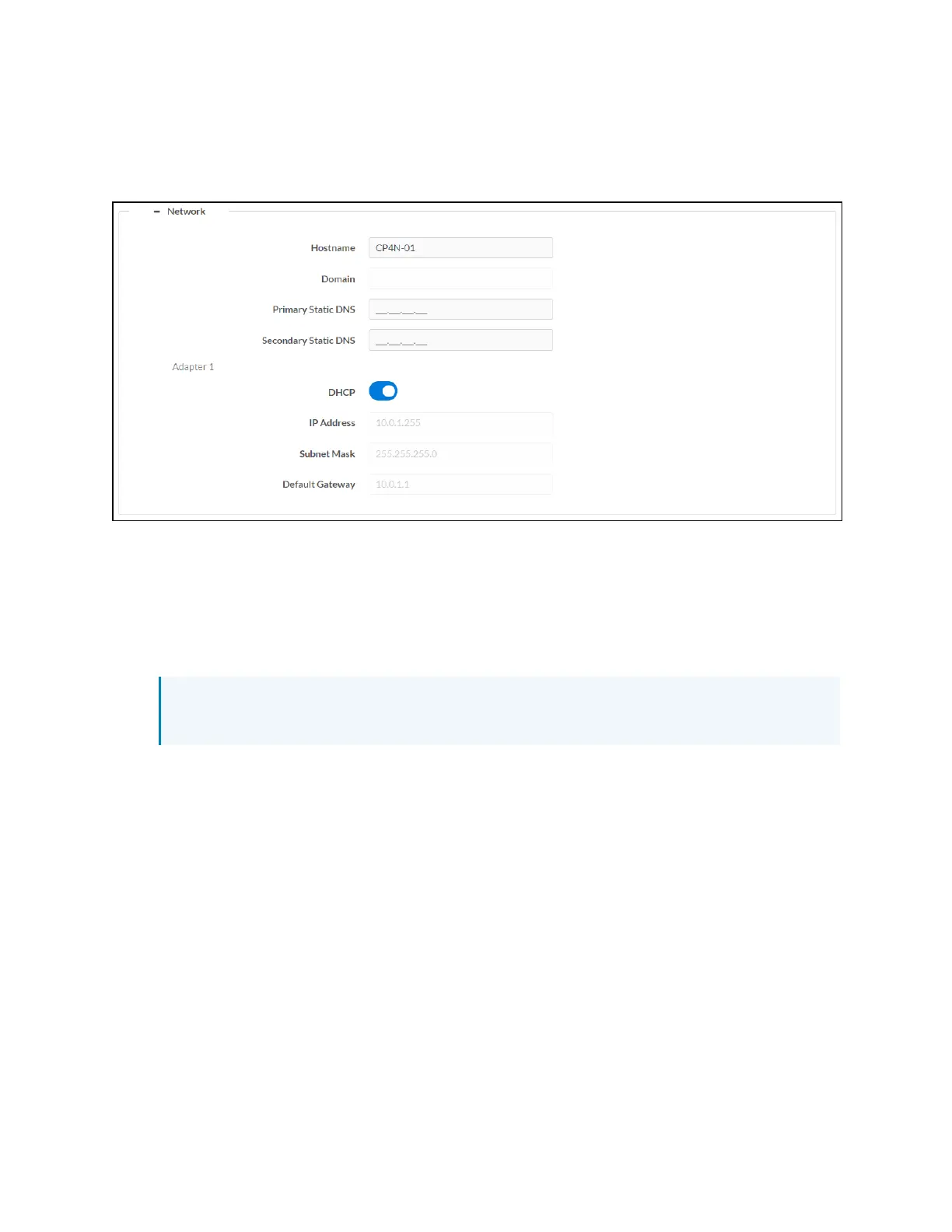
Select the + (plus)icon next to Network to display the following network settings.
Settings Tab - System Setup (Network)
l
Hostname: Enter the control system host name.
l
Domain: Enter the fully qualified domain name on the network.
l
Primary Static DNS: Enter the primary DNS address.
l
Secondary Static DNS: Enter the secondary DNS address.
l
DHCP: Turn on the toggle to use DHCP for the Ethernet connection.
NOTE: If DHCP is turned on, IP does not function until a reply has been received from
the server. The control system broadcasts requests for an IP address periodically.
l
IP Address: If DHCPis turned off, enter the control system IP address on the network.
l
Subnet Mask: If DHCPis turned off, enter the control system subnet mask address on the
network.
l
Default Gateway: If DHCPis turned off, enter the gateway router address on the network.



 To Next Page