Product Manual — Doc. 8559B 4-Series™ Control Systems • 129
Services
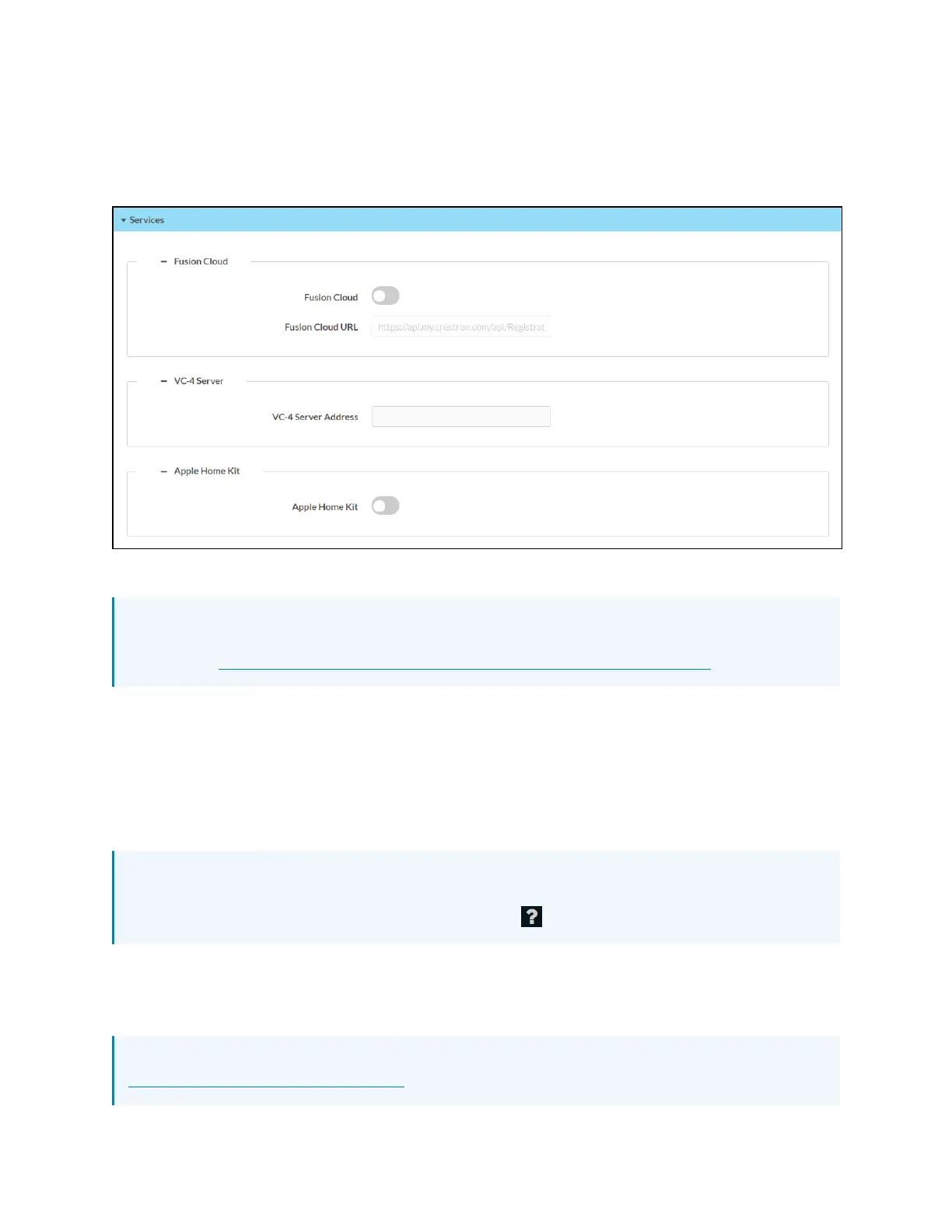
Select Services to manage various external services that integrate with the control system.
Settings Tab - Services
Crestron Fusion Cloud
NOTE: If connecting to a Crestron Fusion software on-premises server, connections are
made using either traditional (outbound) or inbound communications. For more information,
refer to the Crestron Fusion 10 On-Premises Software Getting Started Guide.
l
Turn on the Crestron Fusion Cloud toggle to allow a connection to a Crestron Fusion Cloud
server.
l
If Crestron Fusion Cloud is turned on, enter the address used to connect the control
system to the desired Crestron Fusion Cloud server in the Crestron Fusion Cloud URLtext
field.
VC-4 Server
NOTE: For more information on connecting the control system to Crestron Virtual Control
(VC-4), refer to the help file in the Crestron Virtual Control web configuration interface. To
access the help file, select the question mark button on the top left of the page.
Enter a VC-4server addressinto the VC-4 Server Address text field to establish a connection
between the control system and a VC-4 server.
AppleHomeKit
NOTE:For more information on pairing the device with an Apple® HomeKit® system, refer to
support.apple.com/en-us/HT204893.



 To Next Page