Section 11 Page 4
Step 5 Once you have completed your selections, click “Update Canvas.” The canvas
properties will change to your preferences.
Step 6 Now you can design your project on the screen to look exactly how the finished
project will appear.
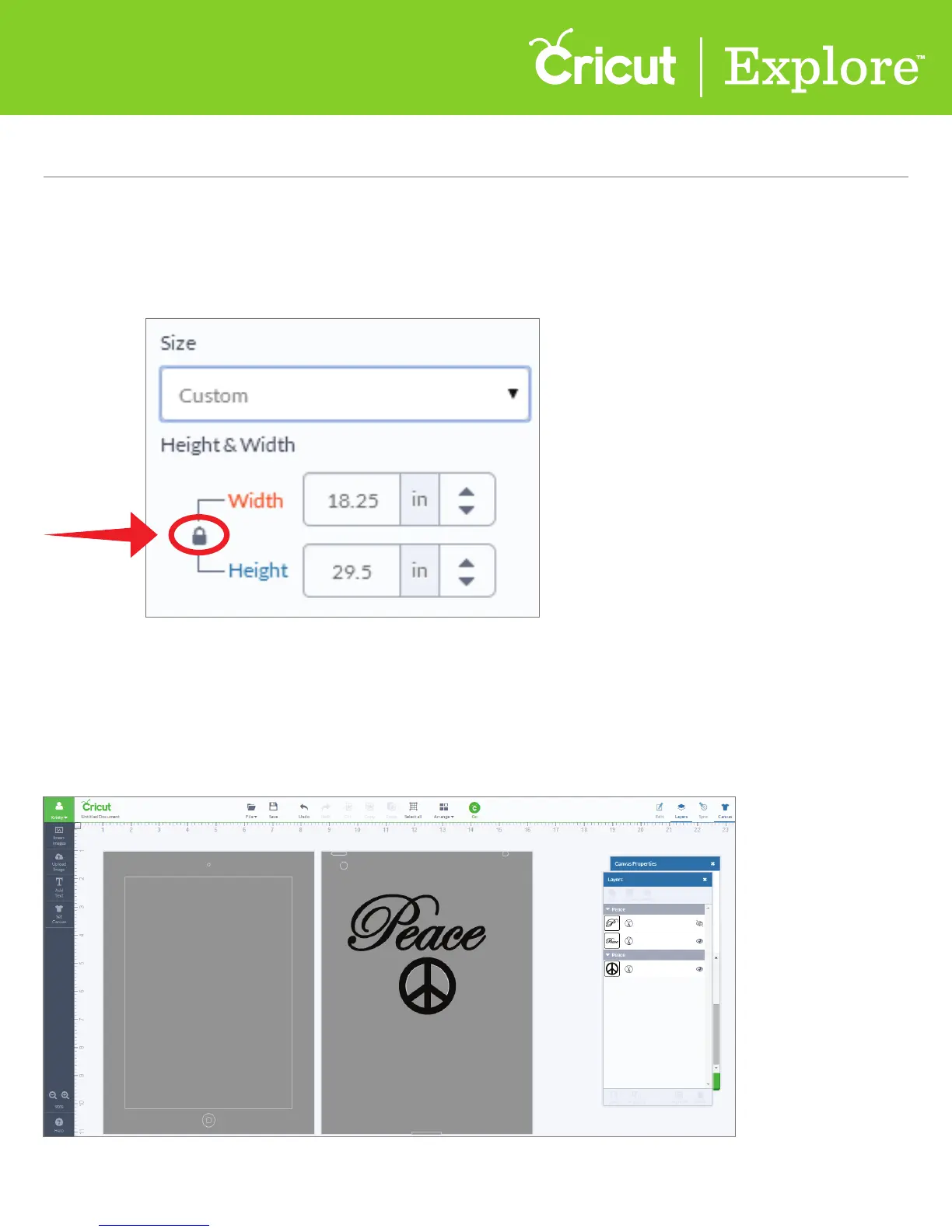
Tip: To customize the size of your canvas, click “Custom” in the Size drop-down menu.
Here you can adjust both the width and height of your canvas.
(Remember to unlock the aspect ratio if you would like to adjust the height and width separately.)
Canvas Panel (cont.)
Section 11
Canvas Panel















 To Next Page