Section 6B
Cutting Your Own Images - Vector Upload (.svg or .dxf files)
Section 6B Page 1
Cutting Your Own Images (cont.)
Vector Upload (.svg or .dxf files)
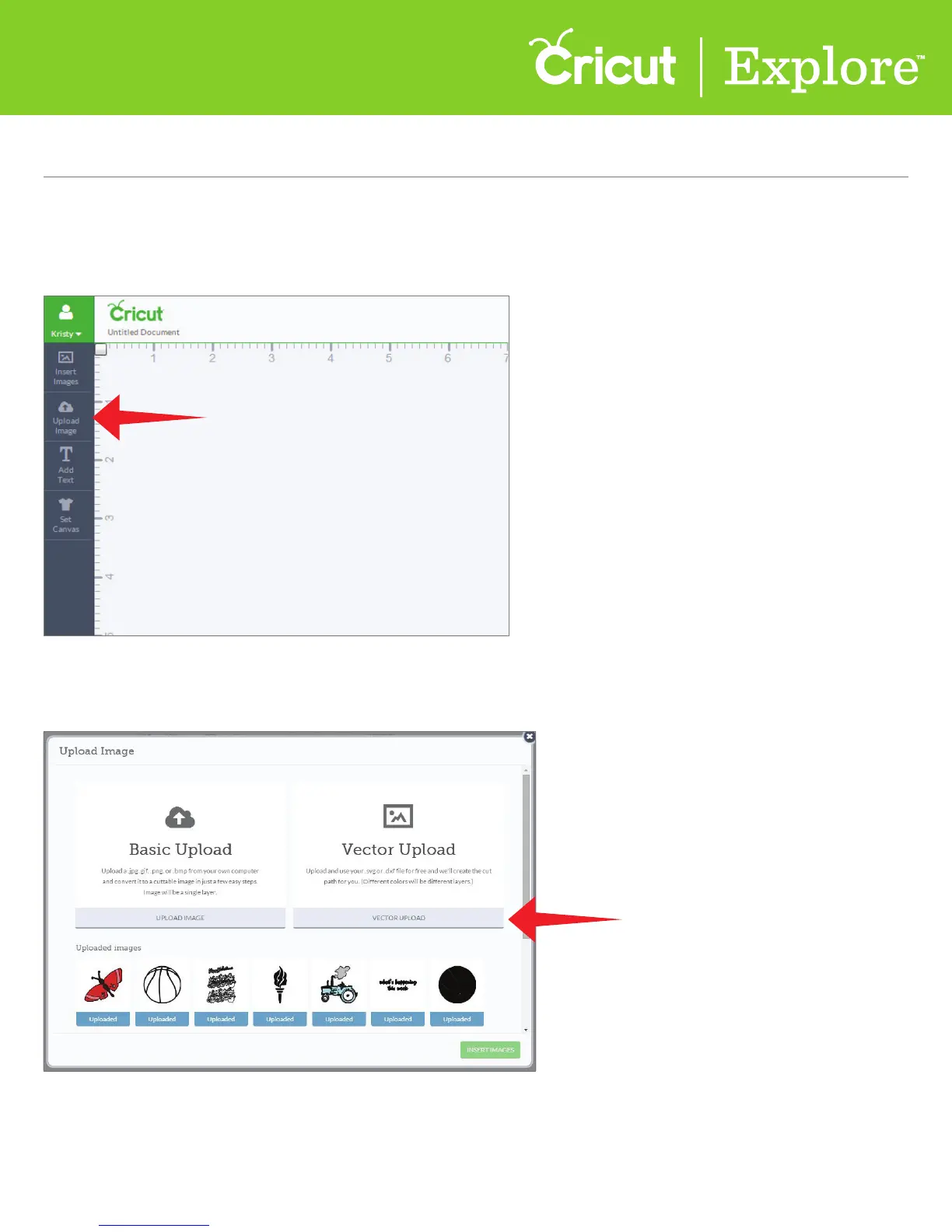
Step 1 To begin a vector upload, click “Upload Image” on the left side of the design screen.
Step 2 A window will open which prompts you to choose your image file type. Choose “Vector Upload”
to work with .svg or .dxf files.















 To Next Page