Mat Preview (cont.)
Section 12
Mat Preview
Section 12 Page 4
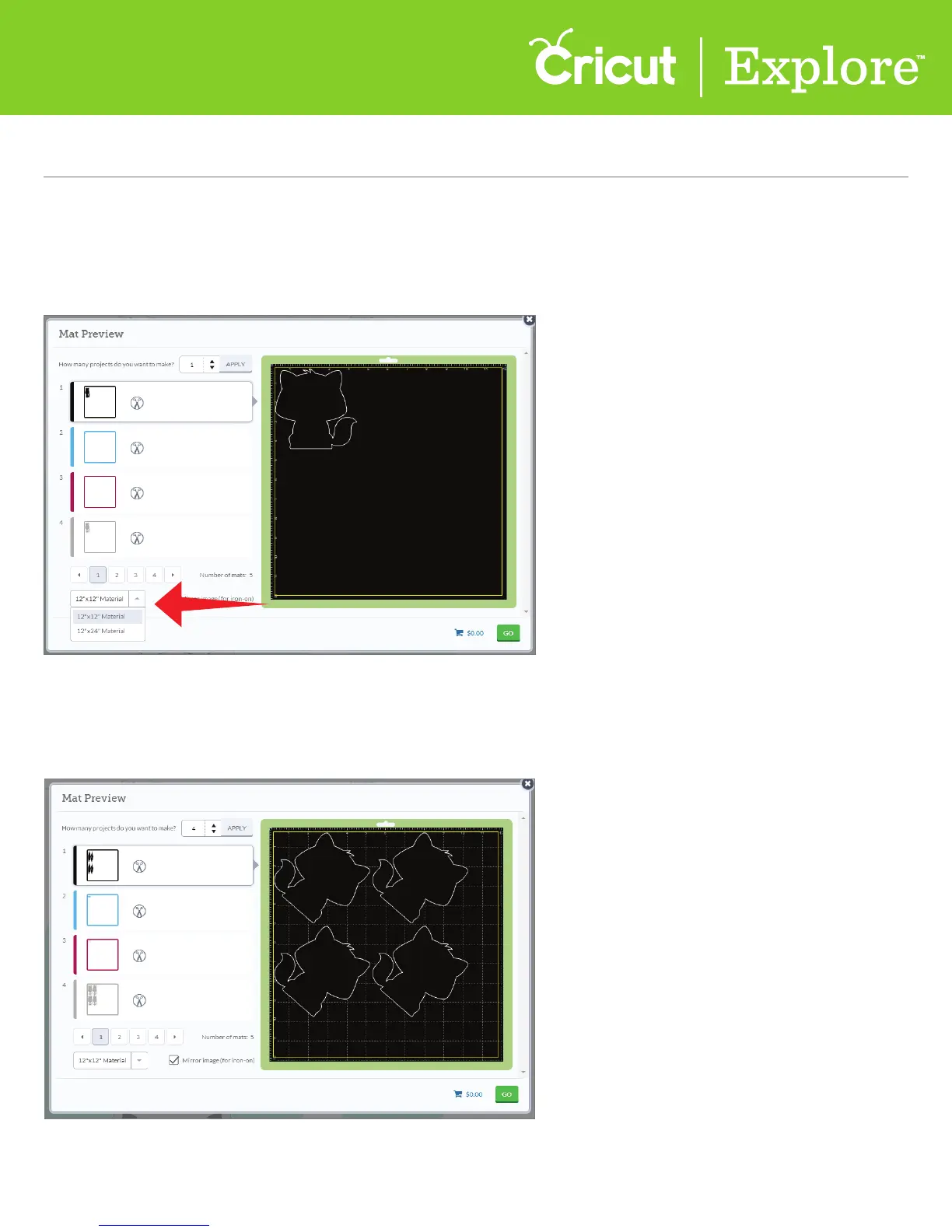
Tip: You will have to change the material size for each mat or color group.
Change the material size by clicking on the Material drop-down menu at the bottom of the mat
preview window.
Tip: If the entire project is going to be cut with iron-on, you will need to mirror each mat.
Use the mirror image button when working with materials such as iron-on so that images and text
will appear in the correct orientation when applied. Click the button to reverse images on the
selected cutting mat.
Mirror Images
Material Size















 To Next Page