Purchasing Images (cont.)
Section 13A
Purchasing Images - Single images
Section 13A Page 3
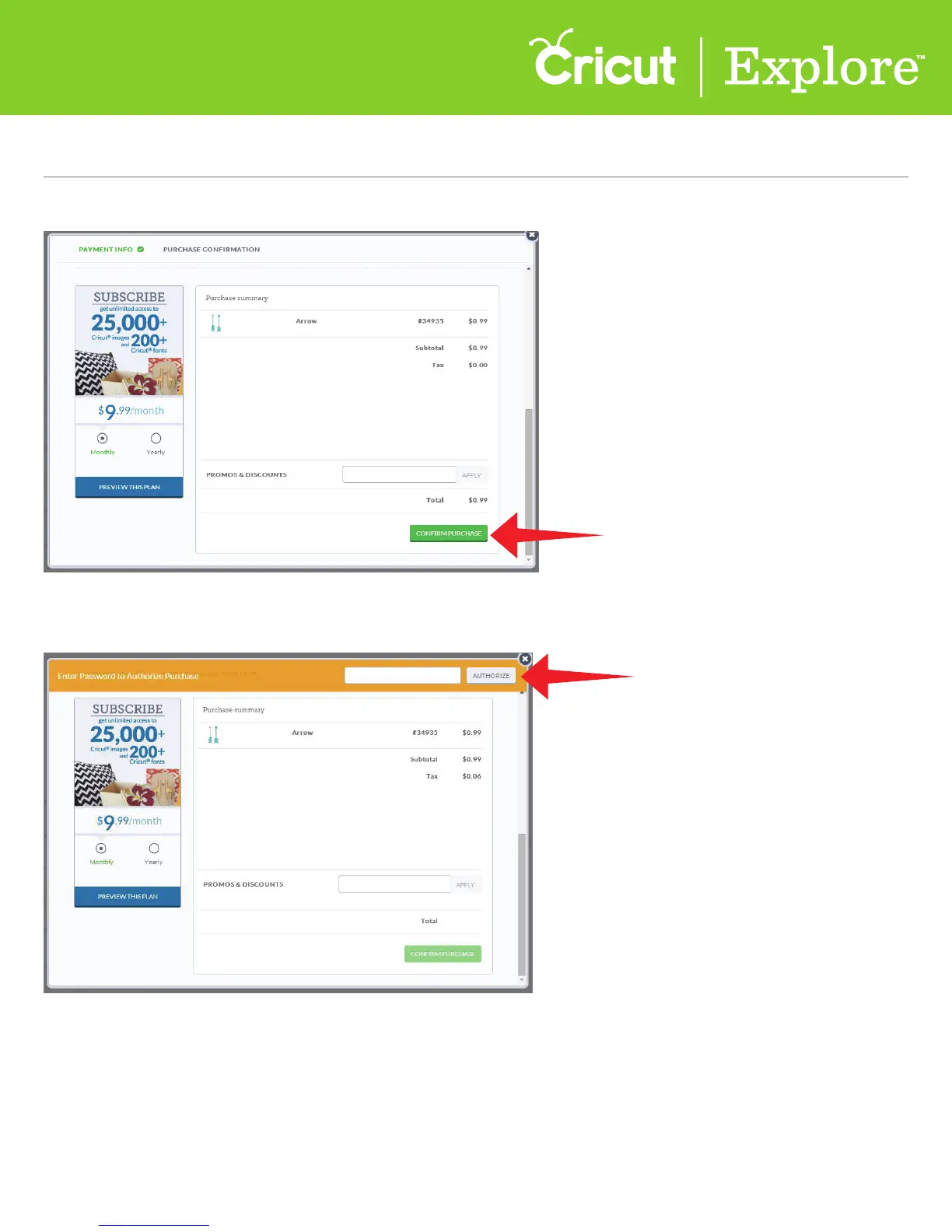
Step 5 Click “Confirm purchase.”
Step 6 Enter your password in the Authorize Purchase box, and then click “Authorize.”
Step 7 Once your purchase is complete, you will receive the message, “Success, your order
has been completed.”
$1.05















 To Next Page