Section 2B
Smart Set
™
Dial - Custom Settings
Section 2B Page 4
Smart Set
™
Dial (cont.)
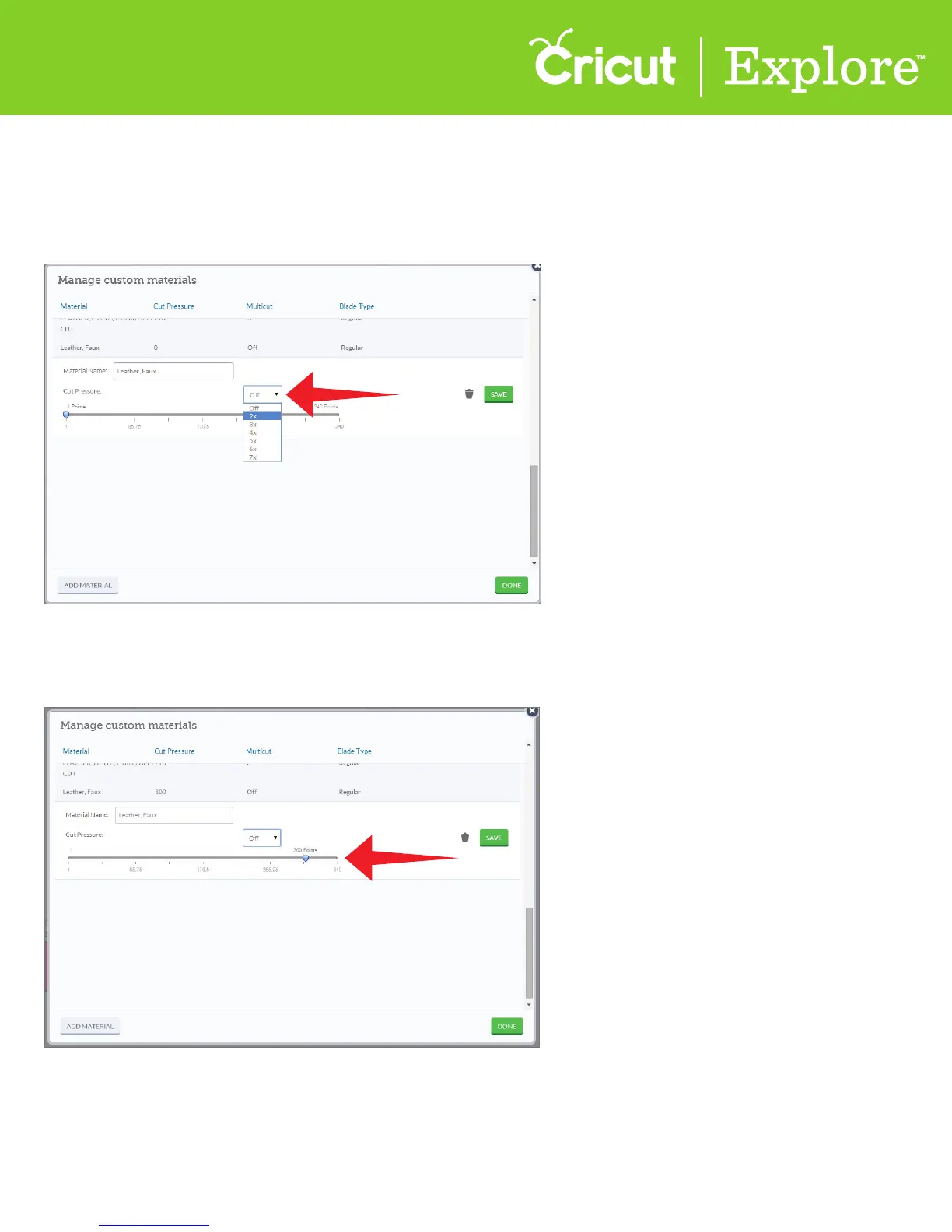
Step 7 Adjust the pressure by dragging the arrow to the desired number. The lower the number, the
lighter the pressure. The higher the number, the more pressure is applied.
Step 6 Adjust the number of times the cut should be done using the multi-cut feature drop-down
menu in Cricut Design Space
™
. This will make the Cricut Explore
®
machine cut multiple times.















 To Next Page