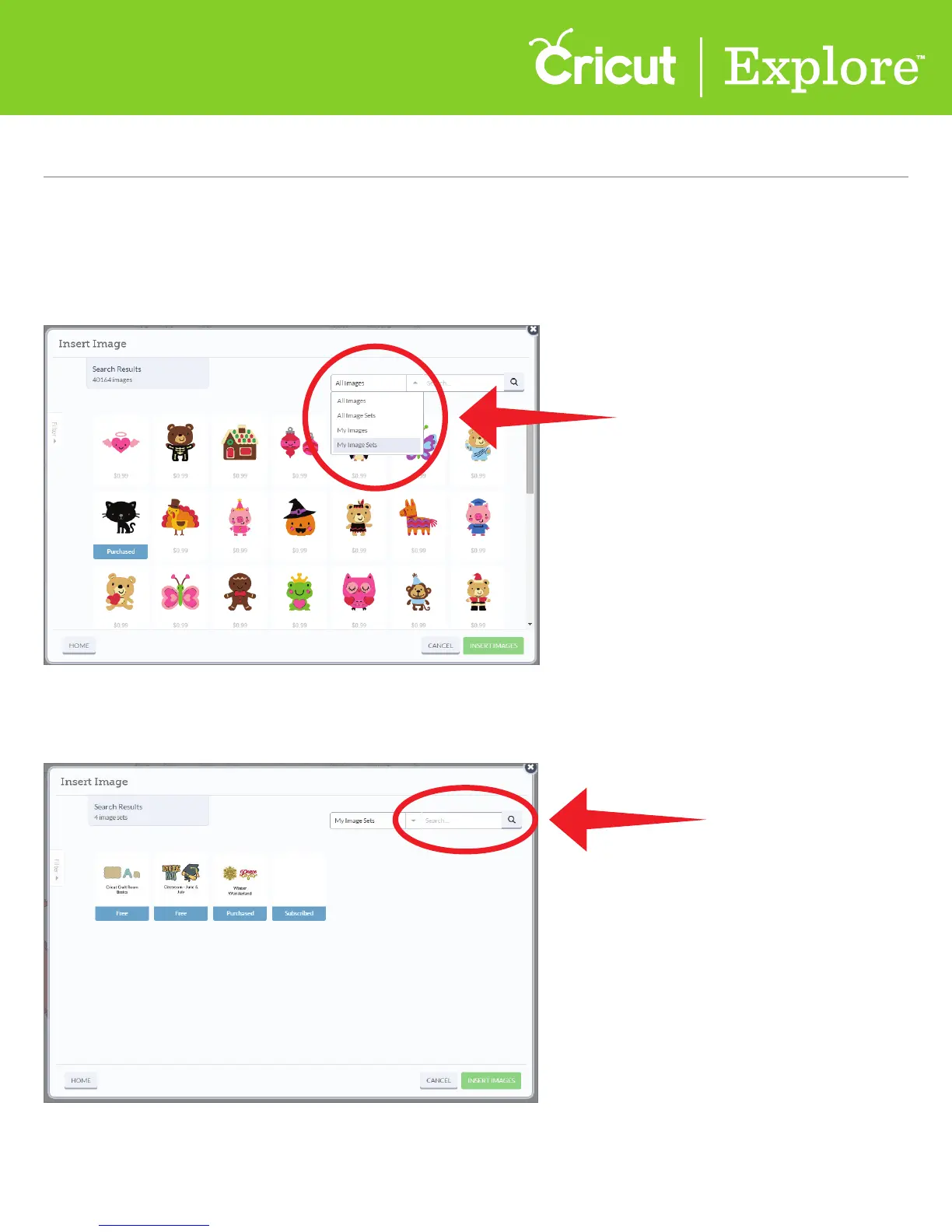
Step 3 If you own a large number of images or cartridges, you can narrow them down by doing a
keyword search.
Step 2 Using the drop down-menu at the top of the window, select the image group you would
like to work with. Choose “My Images” if you want to search for a specific image you’ve purchased;
if you are looking for an entire cartridge, select “My Image Sets.” Both options display images from
linked cartridges, plus images you’ve purchased, free images, and images included in your sub-
scription plan.
Section 4B Page 2
Image Library (cont.)
Section 4B
Image Library - Search for Image Sets/Cartridges















 To Next Page