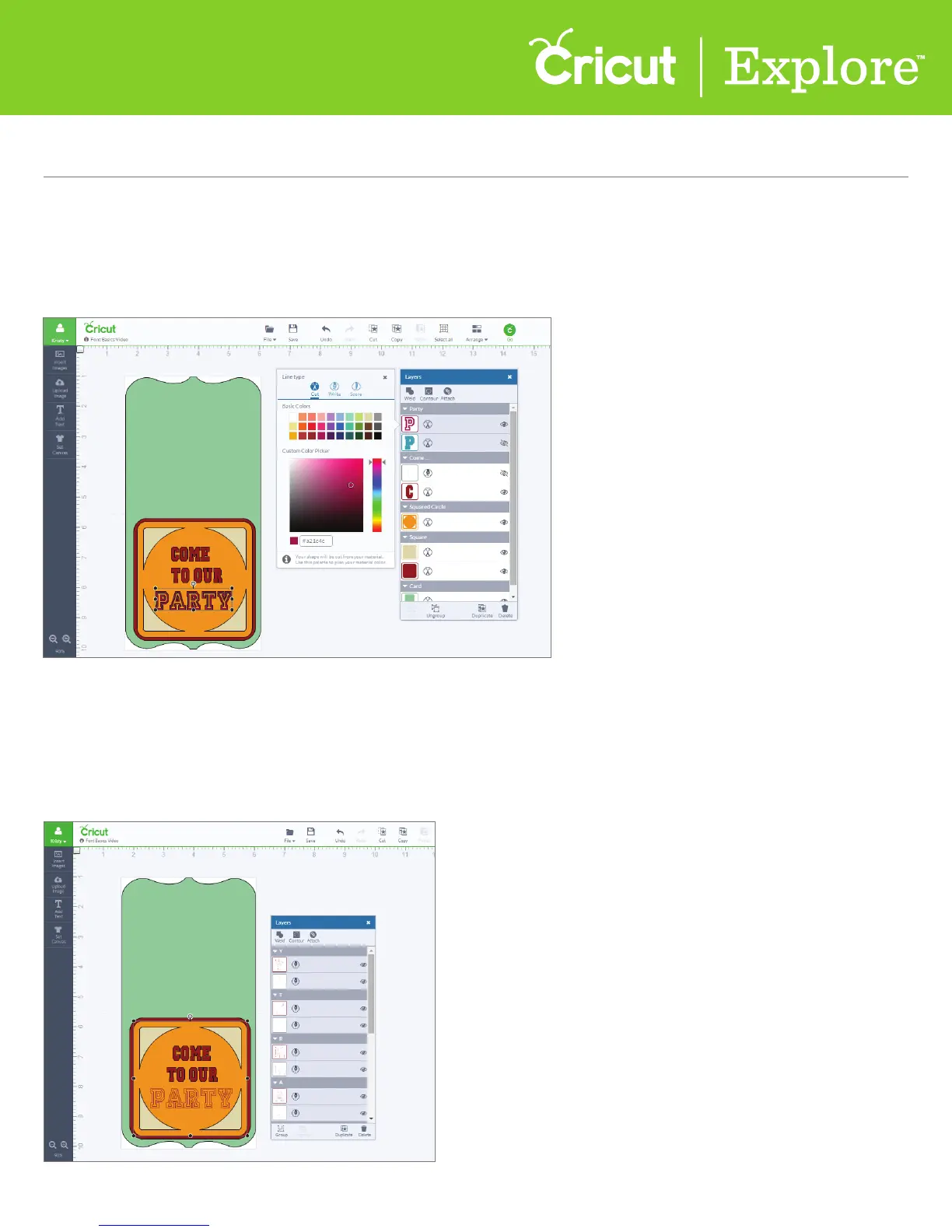
Step 7 Click on the thumbnail image of the text in the Layers panel to make adjustments to line style
and color.
Tip: If you choose to write, the color options will change to match the colors of the available Cricut
®
pens. Cricut Design Space
™
will prompt you when to use your pen as you make your project.
Step 8 If you are writing, you must tell the Cricut Explore
®
machine which layer you want the text
written on. To do this, select both the font and the layer you will write on and then click “Attach” in the
Layers panel.
Tip: Once you’ve attached your text to another layer, it will be automatically ungrouped, and letters
will be shown separately in the Layers panel.
Section 8A
Working with Text/Edit Panel - Adding Text
Section 8A Page 6
Working with Text/Edit Panel(cont.)















 To Next Page