Page 12
PROGRAMMING YOUR PowerWavePROGRAMMING YOUR PowerWave--88
ACCESS TO PROGRAMMING ON POWER UP (INSTALLER MODE)
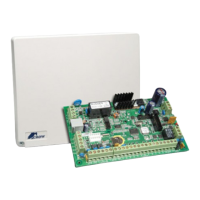
When power is applied to the controller for the first time, with the panel tamper input open, the panel will inhibit
tamper alarms and ready the panel to enter INSTALLER PROGRAM Mode (unless the Installer Lock-out option
Address 170 option 2 has previously been enabled). At this point you can go to any keypad which is connected to
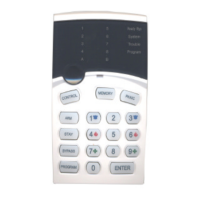
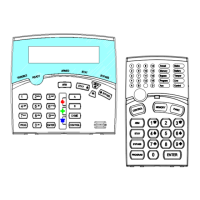
the panel and press “PROGRAM” “ENTER” which will automatically put that keypad into full Program mode,
Program LED Flashing. (NOTE: Only one keypad can be in Program mode at any time)
ACCESS TO PROGRAMMING
Before you can enter Installer Programming, the panel must not be armed.
Press <PROGRAM> - < Installer Code> - <ENTER>
Program light will Flash
Note: Default Installer Code (Code 11) is 000000.
You are now in Installer Programming Mode. Any program addresses may be viewed or changed in this mode.
HOW TO PROGRAM
The programming sequence always follows this pattern;
<PROGRAM> - <1,2 or 3 digit address> - <ENTER>
3 short beeps if OK - 1 long beep if error
The LEDS will display current value or status
Enter the new value or option
<New Value> - <ENTER>
3 short beeps if OK - 1 long beep if error
Access to Installer programming mode can be restricted by having to enter Client Programming mode first.
This is done at Address 169 option 3.
USER CODE PROGRAMING BY CLIENT
Press <PROGRAM> - <Master Code> - <ENTER>
Program light On Steady
Note: Default Master Code is 123 (Address 1) .
You are now in Client Program Mode. Only User Codes 1-10 can be viewed or changed in this mode. Codes may
be denied access to Client mode, allowed access to change their code only or allowed access to view & change all
user codes.
RESETTING BACK TO FACTORY DEFAULT SETTINGS (From Install Mode Only)
This address allows you to reset the panel back to the factory defaults (Reset All defaults).
e.g.To reset All System defaults including User Codes, go to Address 620
Press <PROGRAM> - 620 - <ENTER>
3 beeps - Program light flashing
After the system configuration has been reset back to defaults, all values, options & Codes will be set to the values
shown in the Program Option Summary as defaults. These value & option selections have been chosen as the
most common set-up for the majority of systems.
Address 621-625 allow selective defaults to be set (refer to program summary at the back of the manual for more
details).



 To Next Page