Page 29
Keypad Misc.
This address (169) is used to select the first set of optional panel functions.
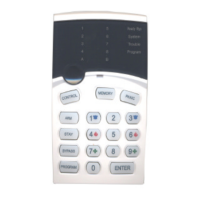
169 ΠTurn Off keypad LEDS at the end of exit time - Default off
• Keypad Panic Button delayed or instant - Default off
Ž Installer Code has direct access to Program Mode - Default on
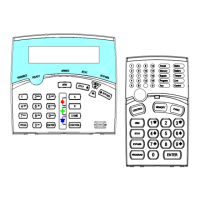
Option ΠTurn off keypad LEDS at end of exit time - If this option is off (LED 1 Off) then the keypad LEDS
remain working at all times. If it is on (LED 1 On), the keypad LEDS will automatically turn off at the end
of the exit delay time (NOTE: the backlight LED’s on an LED keypad will remain on). The LEDS will turn
on again if the alarm is unset, an alarm occurs or any button on the keypad is pressed.
Option • Keypad Panic Button delayed or instant - If this option is off (LED 2 Off) any press of the “Panic”
button on the LED keypads will result in an immediate panic alarm. If it is turned on (LED 2 On) there will
now be a 2 second delay on the panic button. The button must be held down continuously for 2 seconds
to create a panic alarm.
Option Ž Installer Code has direct access to Program Mode - If this option is off (LED 3 Off) the installer code
cannot gain direct access to installation program mode. Access to installation program mode in this case
must be via Client program Mode first (the owner must give authorisation to the installer). If the option is
on (LED 3 On) then the installer code will allow direct access to Installation program mode provided no
areas are armed or in Stay mode.
Medical Alarm Keypad Buzzer
The two button medical function at the keypads (Address 178) can be audible or silent at the keypads. If
a silent medical alarm is required the option must be turned off at this address. For an audible Medical
Beep at the keypad/s turn this option on.
179 Medical Alarm to Keypad Buzzer - Option keypad 1-8 (Default = None)
Stay Button can Disarm Stay Mode
The Alarm panel can be set up so that the “Stay” button at the keypad can be a single press to arm Stay
Mode. During the Stay Armed state the “Stay” button can also be used to Disarm Stay Mode with a
single press provided the keypad concerned has this option turned on. If you do not want single button
disarming of Stay mode at any keypads then ensure this option is off for the keypad/s concerned.
180 Stay Button can Disarm Stay Mode - Option keypad 1-8 (Default = 1&4
Chime Mode to Keypad Buzzer Timer
These addresses can be programmed to have a value from 0 to 99 but the value is in 1/10 of a second increments.
This means the default of 20 at Addresses 209 & 210 is equal to 2 seconds. This gives a much greater control on the
duration of the day zone beep to the keypad.
209 Area “A” Chime Mode to Keypad Buzzer Timer - 0-99 (Default = 20 1/10th sec)
210 Area “B” Chime Mode to Keypad Buzzer Timer - 0-99 (Default = 20 1/10th sec)



 To Next Page