User's Manual
125
4
Select the panel and click to export picture, video or excel. For details, see
"6.2.4.3 Exporting Face Records".
5 Filter the search results according to properties.
6
●
: Sort the records by time.
●
: Sort the records by similarity.
7 Displays the face panels, including face image, feature property and similarity.
6.5.4.2 Vehicle Search
Set event type and vehicle properties to search vehicle detection results.
Step 1 On the LIVE page, click , and then select AI SEARCH > Search by Vehicle.
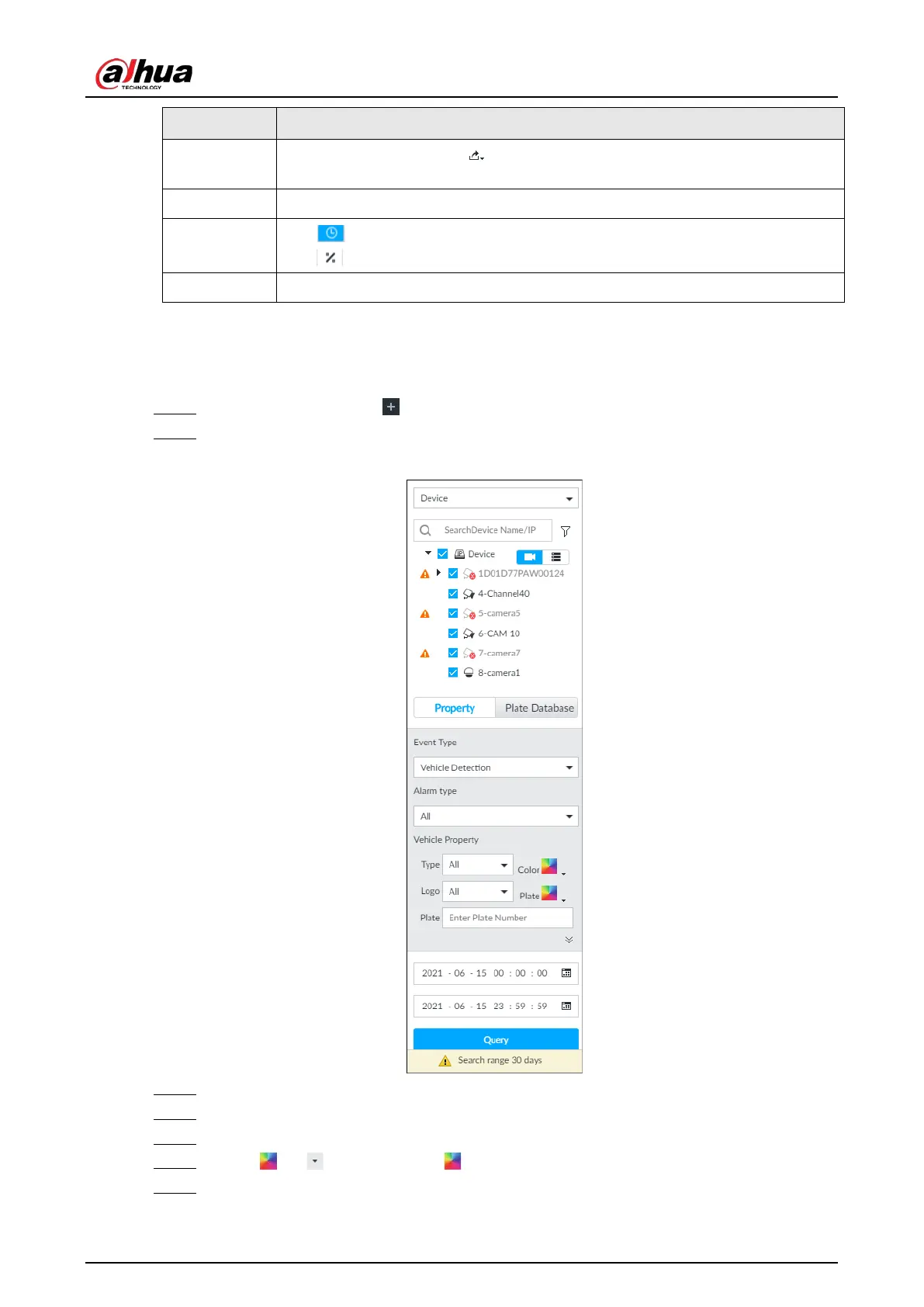
Step 2 Select device, and then click Property tab.
Figure 6-90 Property
Step 3 Select Vehicle Detection as Event Type.
Step 4 Select alarm type.
Step 5 Set vehicle properties and time period.
Step 6 Click or to set the color. means more than one color.
Step 7 Click Query.


 To Next Page
 Loading...


