User's Manual
250
8.3.2.8 Alarm Center
You can configure the alarm center server to receive the uploaded alarm information.
Make sure that alarm center server is deployed.
Step 1 Click , or click on the configuration page, and then select
NETWORK > Network
Apps > Alarm Center.
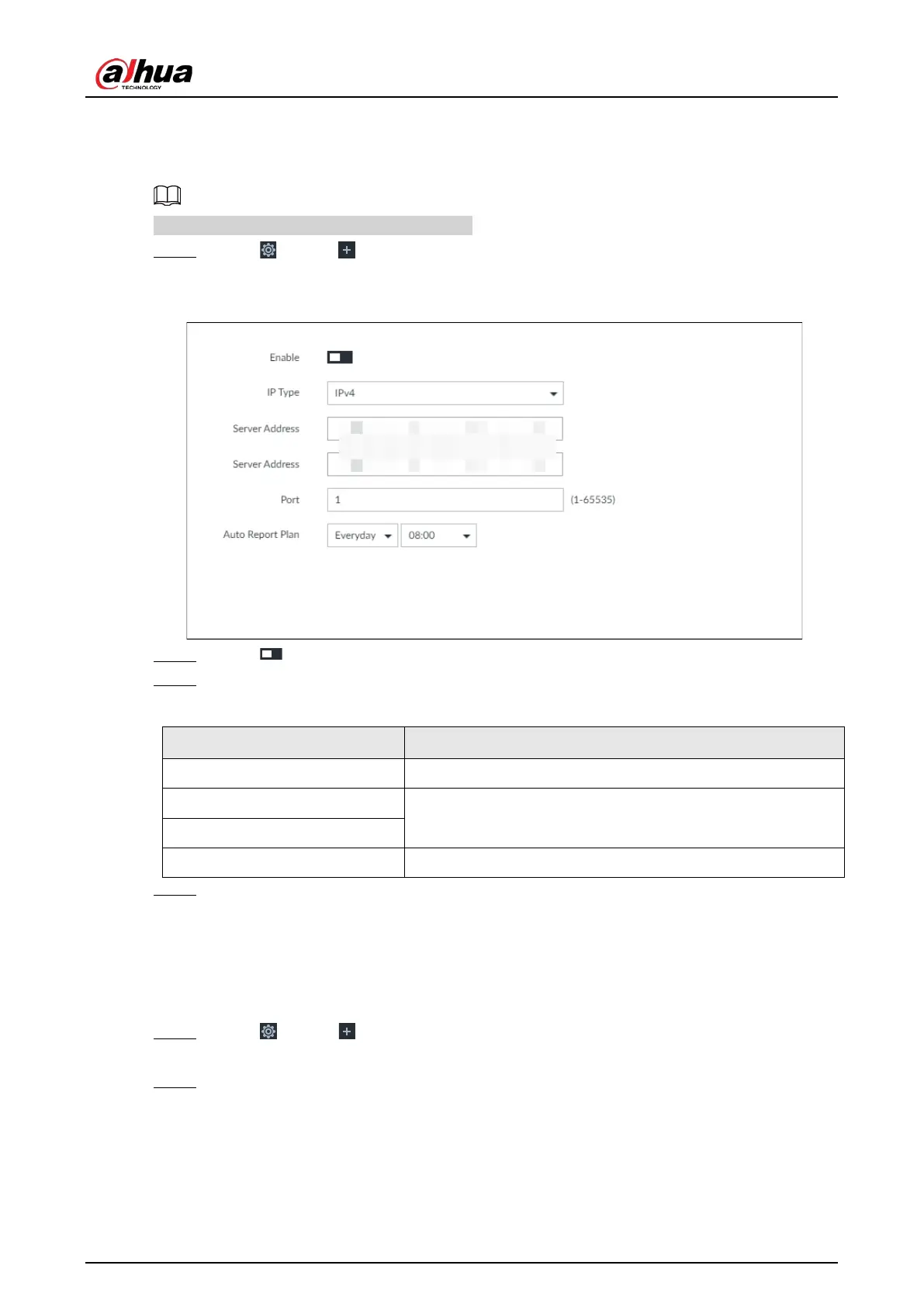
Figure 8-34 Alarm center
Step 2 Click to enable alarm center.
Step 3 Configure the parameters.
Table 8-16 Alarm center parameters
IP Type Select the IP type of the alarm center server.
Server Address
The IP address and communication port of the alarm center
server.
Port
Auto Report Plan Select time cycle and specific time for uploading alarm.
Step 4 Click Save.
8.3.2.9 Route Table
Configure the route table so that the system can automatically calculates the best path for data
transmission.
Step 1 Click , or click on the configuration page, and then select
NETWORK > Network
Apps > Route Table.
Step 2 Click Add.


 To Next Page
 Loading...


