User's Manual
265
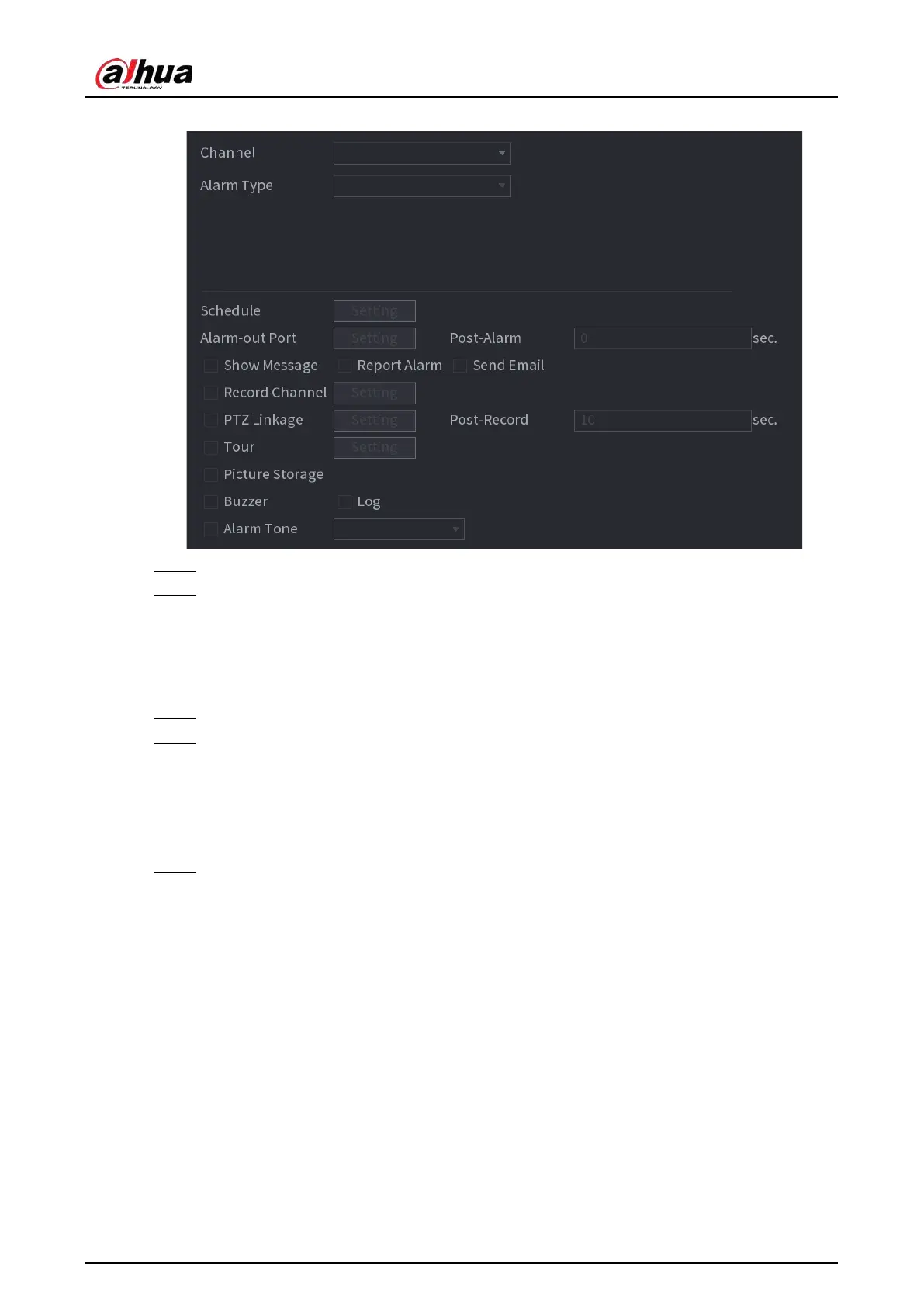
Figure 5-176 Thermal alarm
Step 2 Select a channel and set alarm type to heat alarm, and then enable the function.
Step 3 Select fire mode. The system supports preset mode and zone excluded mode.
●
Preset mode: Select a preset and then enable the function. The system generates an
alarm once it detects there is a fire.
●
Zone excluded mode: The system filters the specified high temperature zone. The
system generates an alarm once the rest zone has fire.
Step 4 Configure alarm linkage. For details, see Table 5-43.
Step 5 Click
Apply
.
5.10.8 Exception
When an error in HDD, network, and device occurs, the system performs alarm linkage actions.
Step 1 Select
Main Menu
>
ALARM
>
Exception
.



 To Next Page
 Loading...