Manual Datafox Evo 4.3 Page 109 Date: 27.12.2017 V 04.03.09.XX
5.7.10.3. Description of the table „Action2"
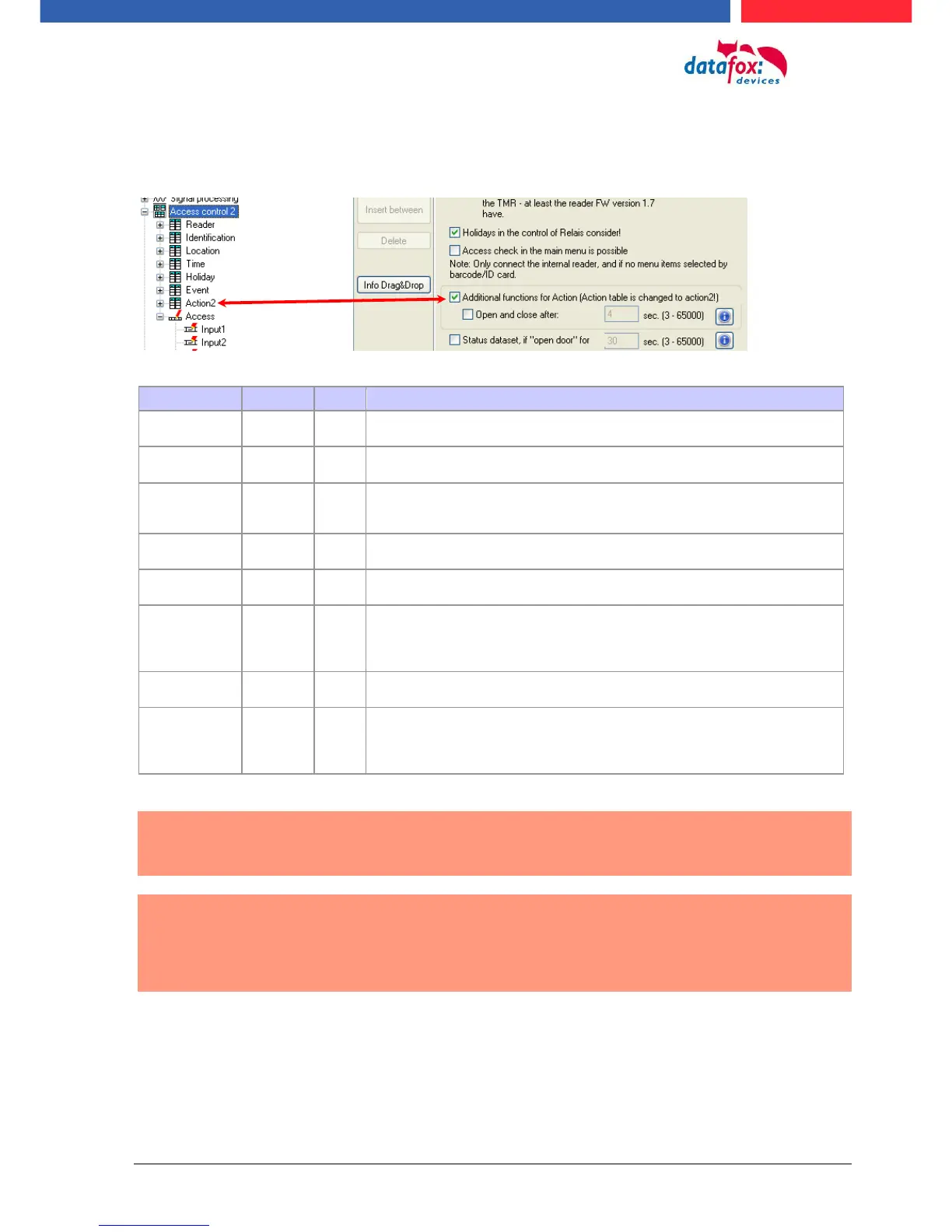
The switching from „Action“ to „Action2“ it’s a setting in the StudioIV.
Action number, it can occur several times due to several actions that have to be
worked through.
Only work this action for the listed Group.
0 = for all groups work this action.
Give a time, and only works this action to this time.
(0 = works ever)
! Not mixed with times in RefTimeRelais!
Reference to the list reader, action to switch a relay on this listed reader in table
reader.
Specifies the period of time a relay is switched
! The time is in seconds!
If here listed a (-1), then switch the relays to off
If here listed (0), then switch the relay for RefTime of for period on.
This is a reference to the table Reader to switch the LED on other modules
RefTimeRelais
(nur für Auto-
matische
Zeitsteuerung)
The time model indicates when the output may be switched. (0 = not used).
(Automatic time control)
! Action how here work with automatic times, be not mixed with action from the
access!
Caution:
By transferring the table "Action 2" to the unit, the table "action" is replaced. Thus, only
entries in the table "Action 2" will be considered.
Caution:
Would you like to continue working with the "action" table, the table "Action 2" may not
be transferred to the device.
A table "Action 2" has already been transferred to the device, it must be cleared by load-
ing a new setup.



 To Next Page