Manual Datafox Evo 4.3 Page 23 Date: 27.12.2017 V 04.03.09.XX
5.2.3.3. activate the Bootloader
In the event that you set an unknown IP address and a bios password is set, there is the possibility
to activate the bootloader. This allows the device to be reset via USB. With the installation of the
firmware and the connection of a setup without bios password, you will have access to the bios of
the device.
Stepp 1:
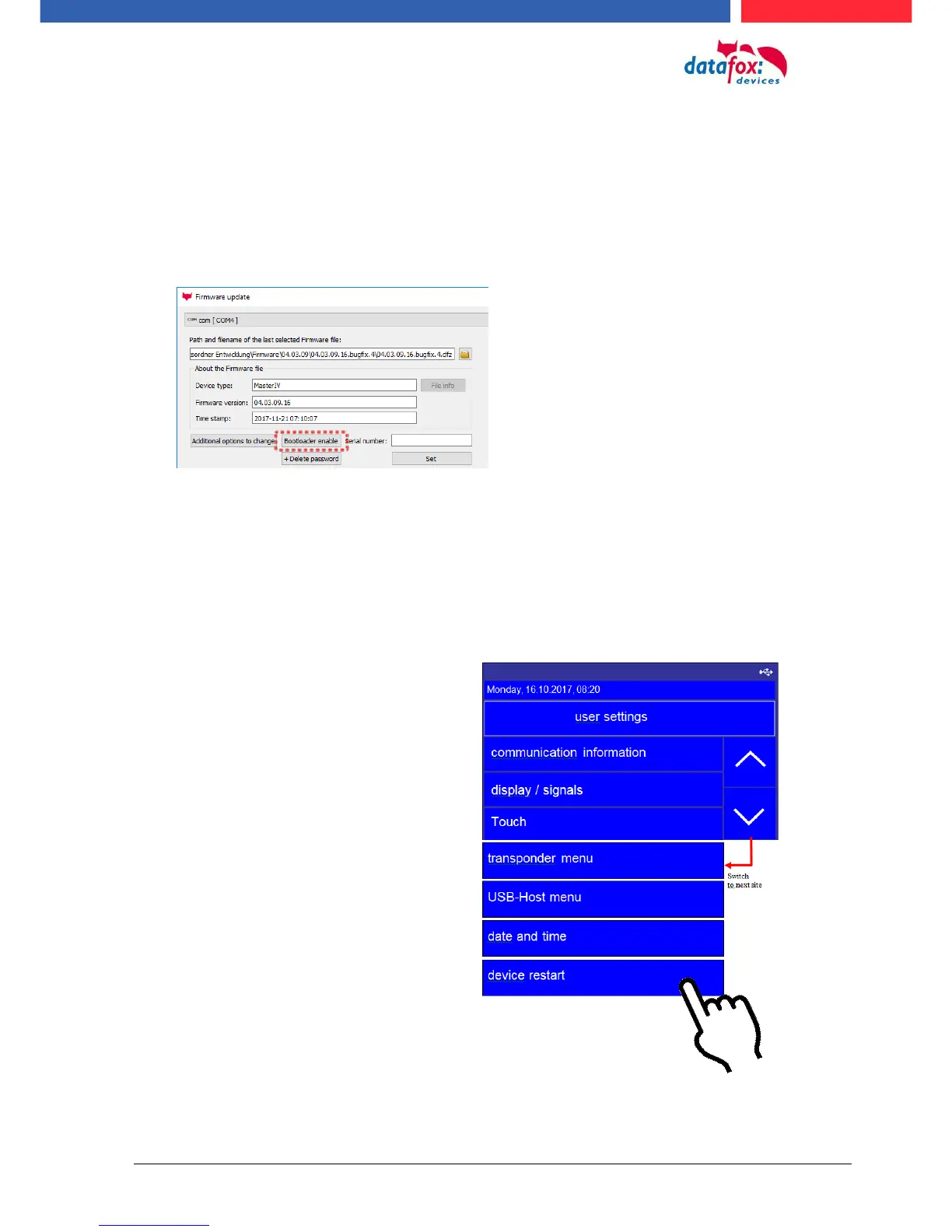
See the dialog with the DatafoStudioIV and press “Bootloader enable”.
Stepp 2:
Connect the device on USB – PC and restart.
Stepp 3:
See you the message “Bootloader was successfully activated“ then it is possible transfer new firm-
ware to the device.
5.2.3.4. device reboot
In the menu User settings“ it is pos-
sible restart the device.
Confirm your cossing with a tipp (en-
ter) on the display.
All data and settings are kept.



 To Next Page