Manual Datafox Evo 4.3 Page 15 Date: 27.12.2017 V 04.03.09.XX
5.2. Operation and display elements of the Evo 4.3
5.2.1. Composition and Operation
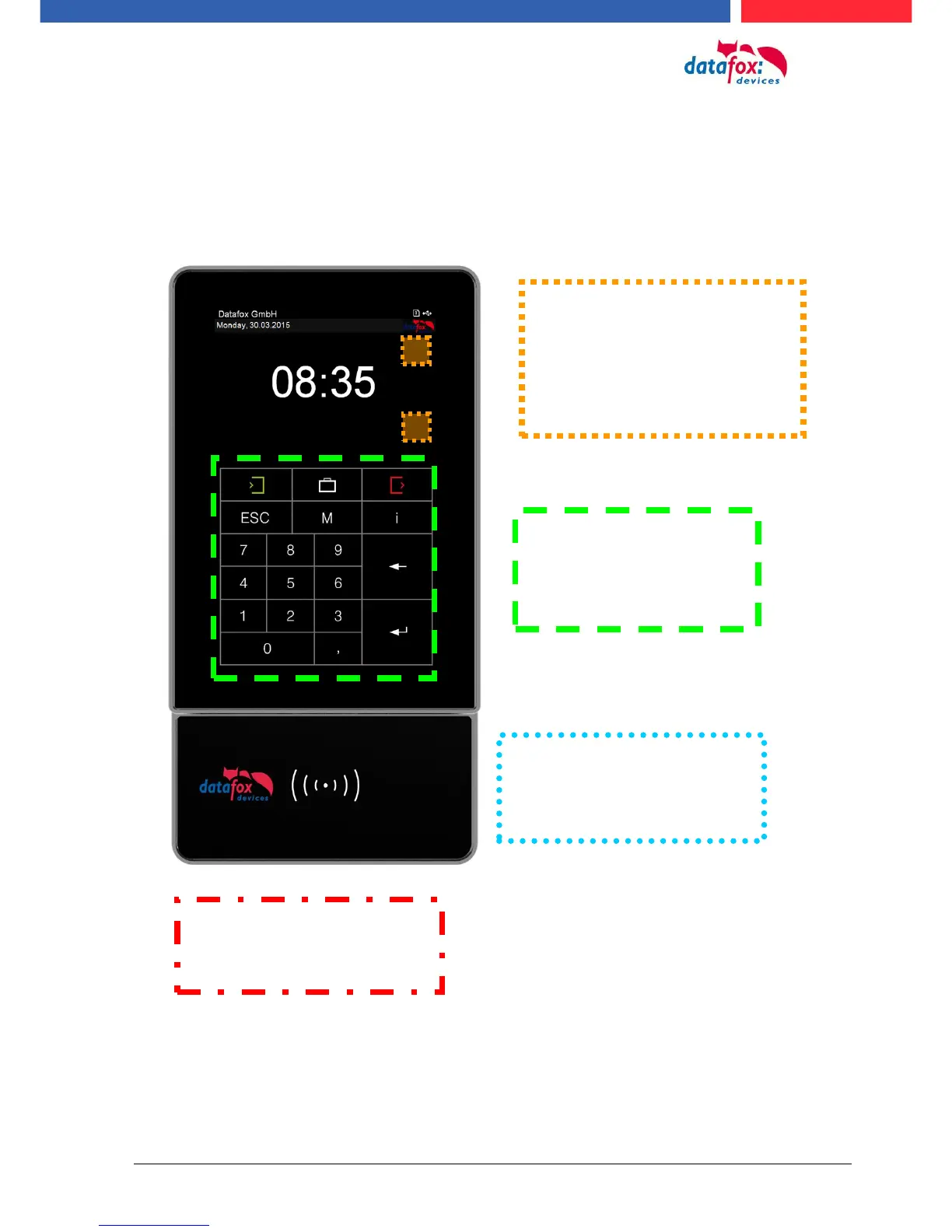
The terminal has a capacitive touch.
Touch area. Configuration is
device-dependent depending
on the order.
See next chapter "Configura-
tion Touch Data"
When displaying lists or submenus,
this touchpad is selected.
Scroll up and down.
If arrow keys on the lower part of
the touch are stored, these must be
used to select in the list.
Reading area of the transponder
with background lighting in RGB
colors. See chapter "Switching
backlighting".
Background lighting in RGB col-
ors for customer logo.
See chapter "Switching back-
lighting".



 To Next Page