Manual Datafox Evo 4.3 Page 60 Date: 27.12.2017 V 04.03.09.XX
5.6.7.2. Receive SMS
The follows functions are possible:
► View the SMS on the display. The sam action you find in the „DFCComSendMessage“ or
the answer via HTTP.
► to order an service connection (the same how in the HTTP- answer)
► start in the signal processing an input sequence
► Output an acoustic signal
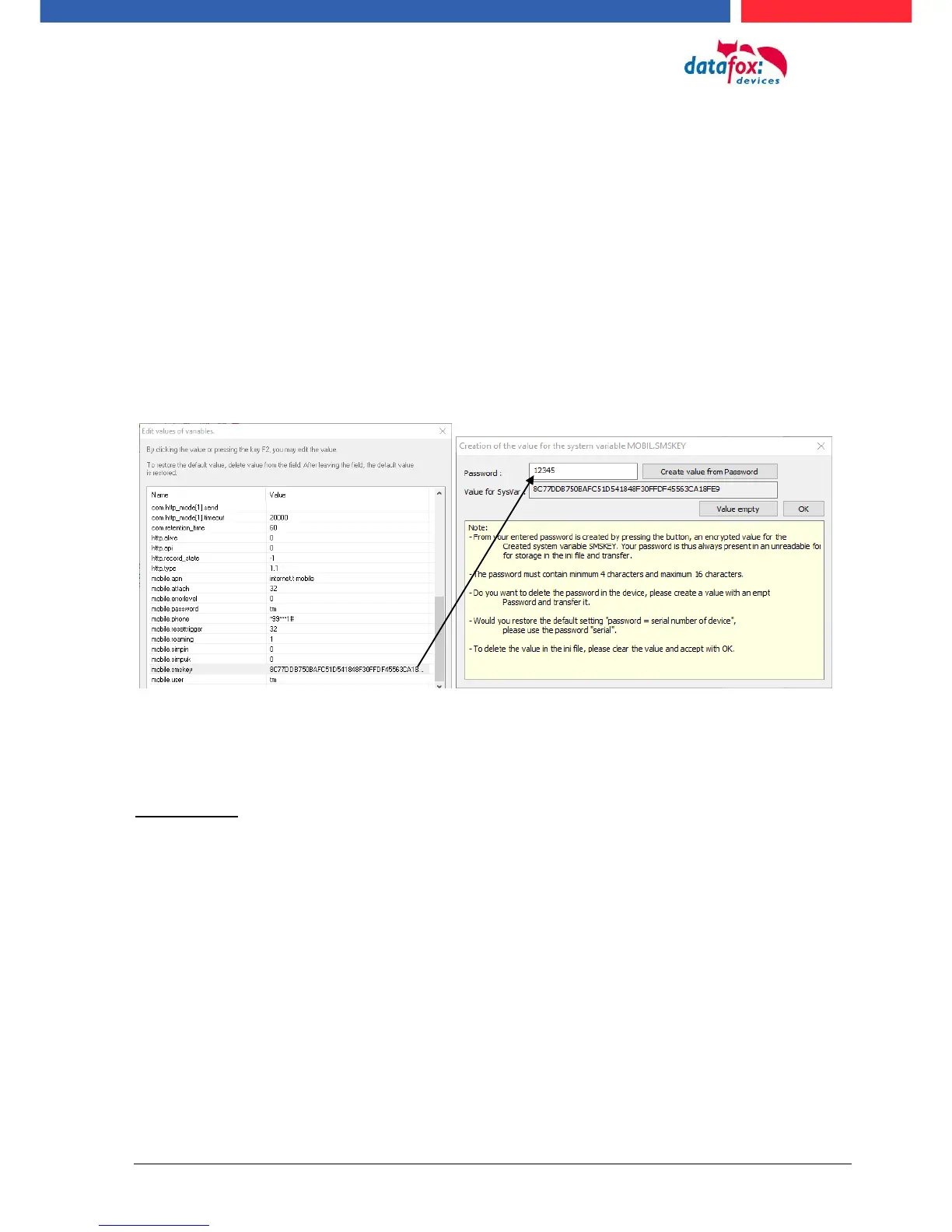
Condition to receive a SMS is a KEY include in the device an in the text from the SMS.
The Key fort he device can set in the GPRS/HTTP .ini file.
Textmassage
The keyword must be included in the SMS-text is:
message=text1 text line2 line3 etc.
&delay=10&key=12345
The 10, is the time how long to display the message.
After the character gives a line break (carriage return).
If not a key in the device, you can use the serial number as a key (default setting). Save you an
empty Key, then receive the device every SMS. The last received SMS can you see in the
Bios-Menu under „general information Bios (Menu)“.



 To Next Page