Manual Datafox Evo 4.3 Page 59 Date: 27.12.2017 V 04.03.09.XX
5.6.7. Communication via SMS
5.6.7.1. Send a SMS
With the EVO 4.3, it's possible to send an SMS. Condition for this is, an integrated GPRS-Modem
(communication via Cellular Network). The main communication must be set on GSM or
GPRS/GSM.
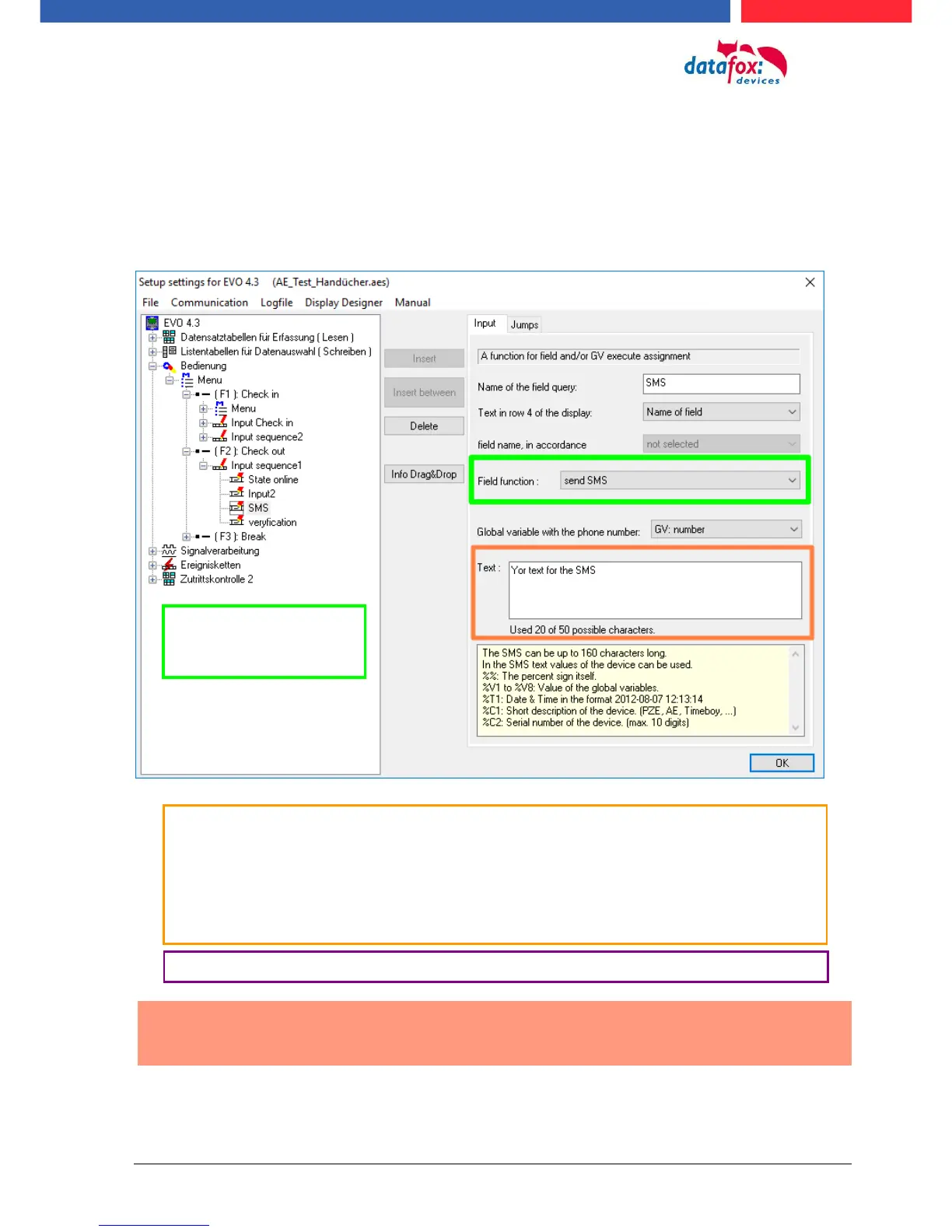
To send an SMS you must use the Field Function “send SMS” in the device Setup.
Caution:
Enter the phone number always with a country code.
Example.: +49161458
The device can be saved 128 SMS. Then there is additional as follows to clear the oldest SMS.
The call number if you want send an SMS must be saved in a GV.
The maximum length of the SMS is 160 characters.
The text can integrated device value:
%%: The percent signs self.
%V1 to %V8: value of global variable.
%T1: date and time 2012-08-07 12:13:14
%C1: Short device description. (PZE, AE, TIMEBOY, ...)
%C2: Serial number of the device. (max. 10 Stellen) %1 für GV 1, %2 für GV2 usw..
The function „send
SMS“ can you use in a
input field.



 To Next Page