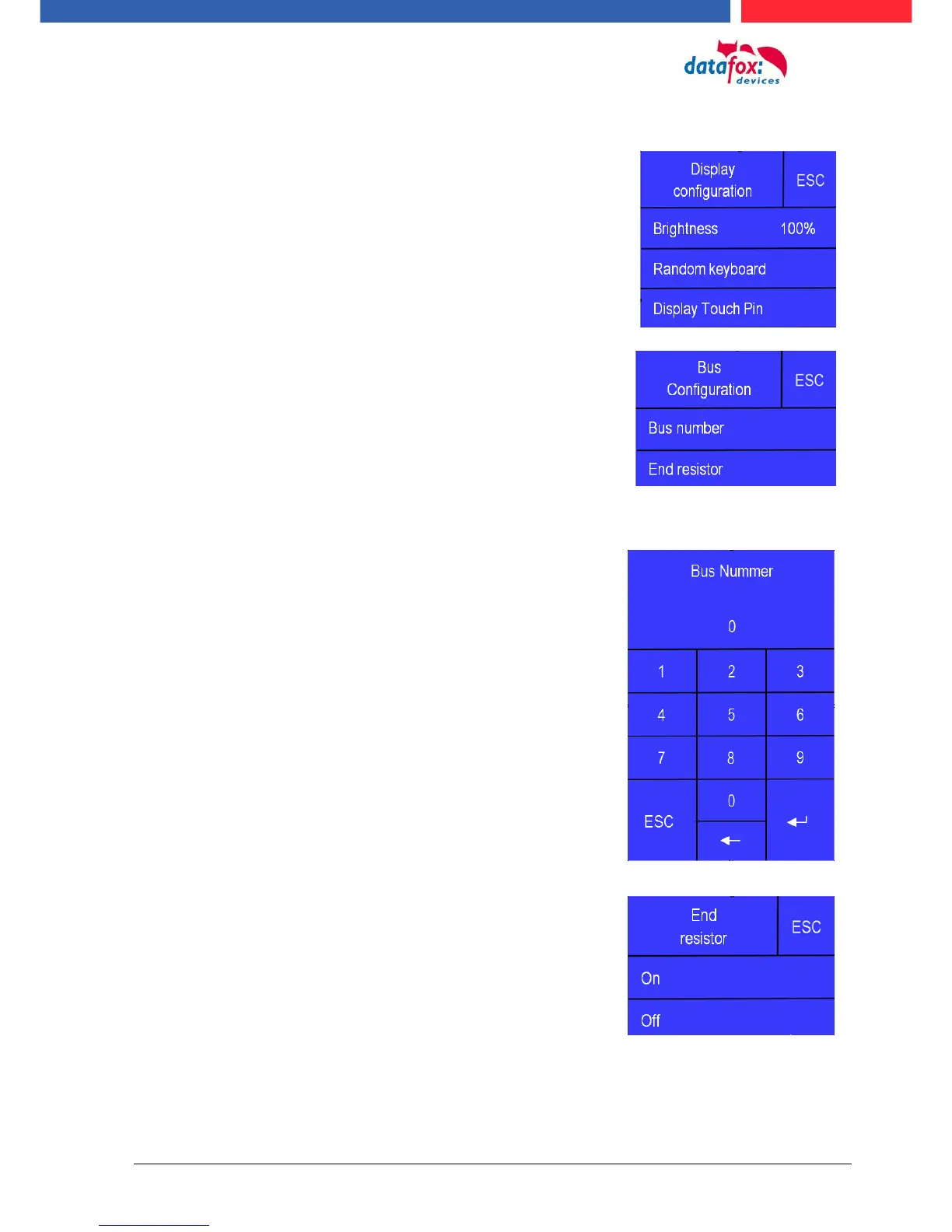
The bus terminating resistor of 120 Ω is switched on or off in
the bus configuration under "Terminating resistor".
Note: If it is the last or only reader in the RS485 bus, the termi-
nating resistor must be switched on.
The bus address is defined in the bus configuration under
"Bus number" .
Note that only bus addresses between 1 and 16 are possi-
ble.
The input of the bus number is confirmed with the "Enter"
key (bottom right).
With the Escape button (bottom left) the process can be
aborted.
Im Auslieferungszustand ist die Bus – Adresse 1 gesetzt.
5.7.5.7. Display configuration
The following parameters can be set in the display configuration:
- the brightness of the device
- random number keys - arrangement of the pin and keyboard
- the basic activation of the pin - keyboard
5.7.5.8. Bus configuration
In the bus configuration, the initial parameters that are used
for the setup of the reader must be set, configured.
5.7.5.9. Setting the bus adress of the reader for RS485 bus
5.7.5.10. Activate the resistor for the end



 To Next Page