V0817, 7.5
not active. The result of all calculations is the same as with previous software versions.
The range of the parameter n is 0.01 – 1.00.
For example, a typical value for mild steel is 0.21.
When 0 is entered again, the value will be reset to _.__
Calculate n
The Material strain hardening exponent, n, is a material property that should be provided by
the supplier of the material, just like the tensile strength and E-module.
As an alternative, it can also be derived from the bend allowance. A test bend has to be made
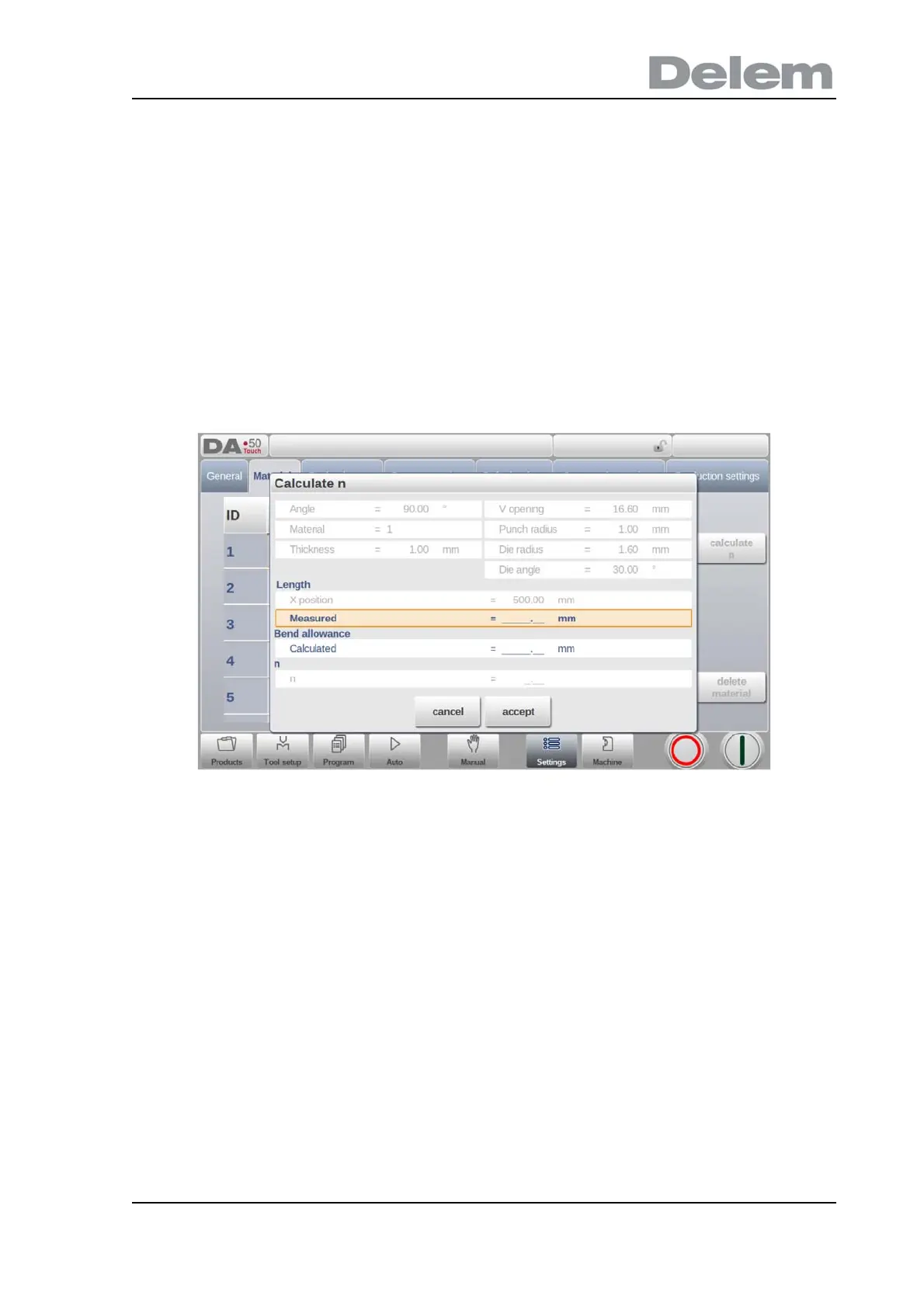
in Manual mode. When you switch to the materials table and tap the button ‘calculate n’, the
following window will appear on the screen:
The parameter values are taken from the Manual mode screen. After the bend the resulting
side length should be measured and entered in the window. With the difference between the
programmed X-axis position and the measured side length the bend allowance and the strain
hardening exponent (n) are calculated.
The accuracy of the calculation depends on the accuracy of the sheet thickness, tool
parameters and side length measurement.
The materials are initially listed according to their material number, which is shown in the first
column (ID). The list can be sorted according to the different properties by tapping the title of
the column. The materials will be sorted in ascending or descending order of that property.
To change an existing material, select the relevant line and change the values as you see fit.
To delete an existing material, select the relevant line and use Delete Material. This will erase
the values.
To program a new material select an empty line and start programming its values.



 To Next Page