5 backplane signal cable 6 backplane power cable (2)
7 SAS cable A0/B0 8 USB cable
9 control panel cable 10 right ear control panel flex cable
11 hard drive backplane 12 hard drive backplane connector (12)
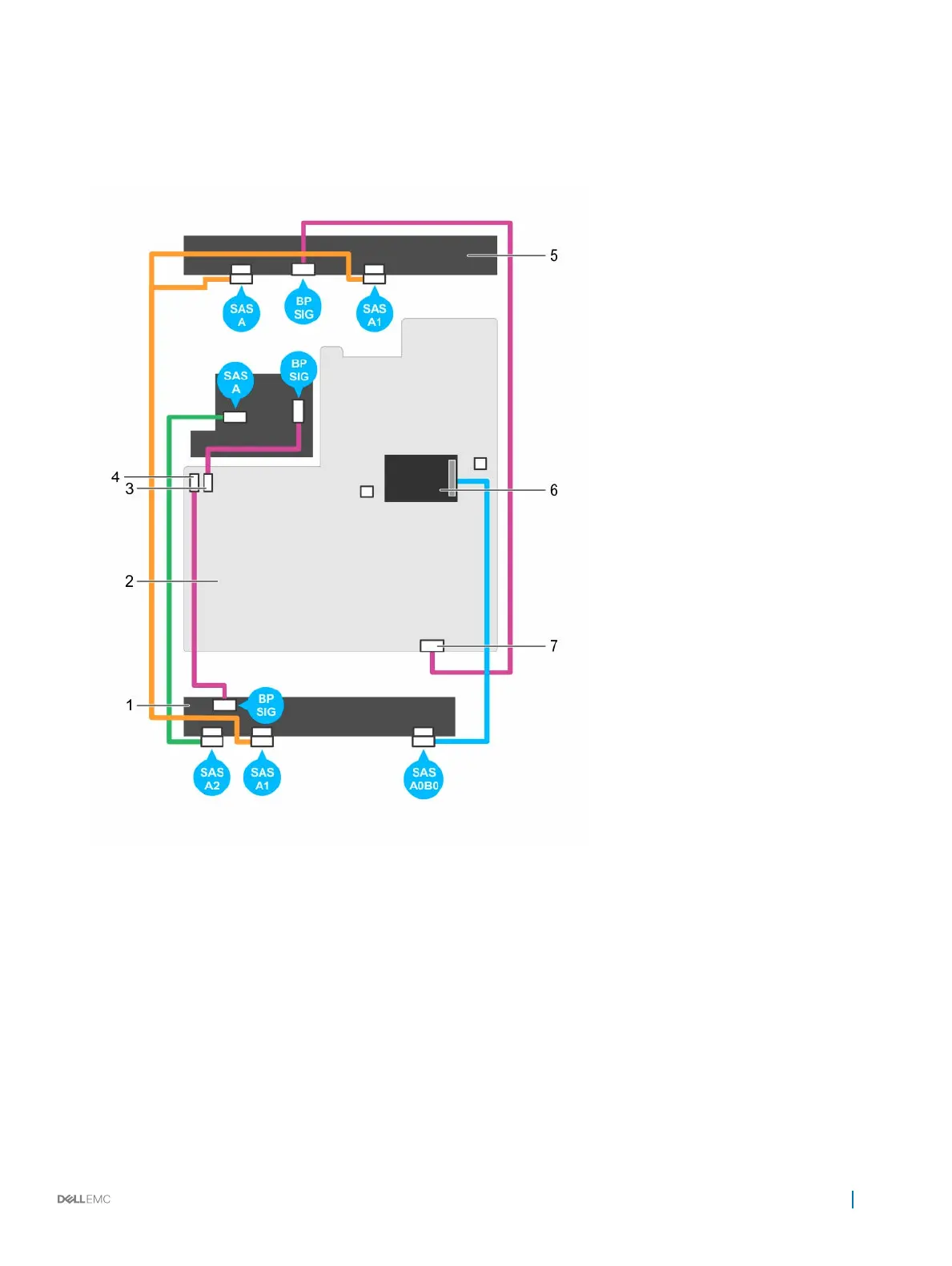
Figure 66. Cabling diagram—3.5 inch (x12) SAS/SATA backplane (option 2)
1
hard drive backplane 2 system board
3 backplane signal connector 0 4 backplane signal connector 1
5 hard drive mid plane 6 integrated storage controller card
7 backplane signal connector 2
Next steps
1 Install the hard drive backplane.
2 Follow the procedure listed in the After working inside your appliance section.
Installing and removing components
111










 To Next Page