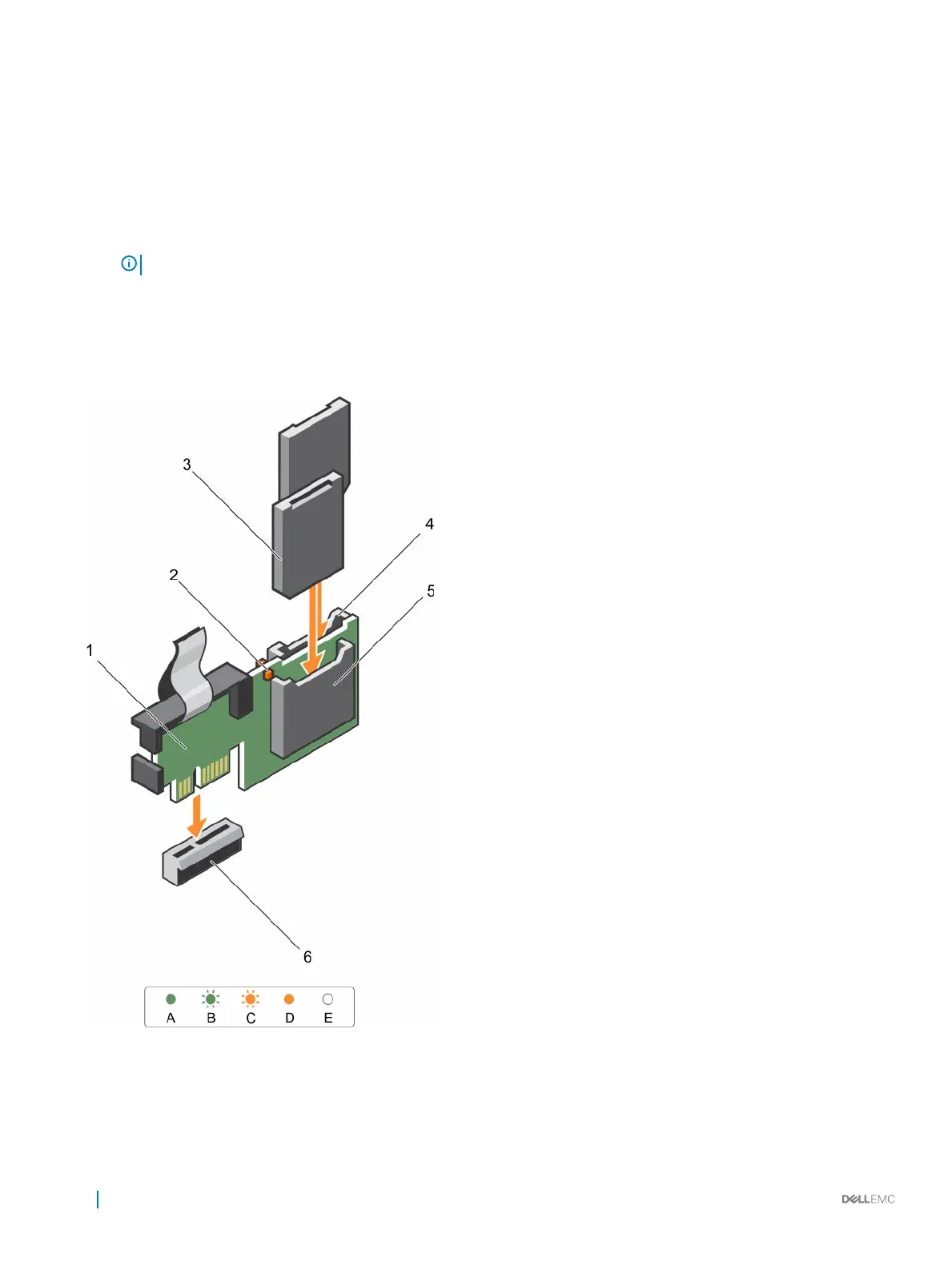
Installing the internal dual SD module
Prerequisites
1 Follow the safety guidelines listed in the Safety instructions section.
2 Follow the procedure listed in the Before working inside your appliance section.
NOTE: Temporarily label each SD card with its corresponding slot before removal.
Steps
1 Locate the internal dual SD module (IDSDM) connector on the system board. To locate the IDSDM connector, see the System board
connectors section.
2 Align the IDSDM with the connector on the system board.
3 Push the IDSDM until it is firmly seated on the system board.
Figure 50. Installing the optional internal dual SD module
1
IDSDM 2 pull tab
3 IDSDM connector
92 Installing and removing components












 To Next Page