Removing the hard drive backplane
Prerequisites
CAUTION: To prevent damage to the drives and backplane, you must remove the hard drives from the appliance before
removing the backplane.
CAUTION: You must note the number of each hard drive and temporarily label them before removal so that you can replace
them in the same locations.
1 Follow the safety guidelines listed in the Safety instructions section.
2 Follow the procedure listed in the Before working inside your appliance section.
3 Remove the cooling shroud.
4 Remove the cooling fan assembly.
5 Remove all hard drives.
Steps
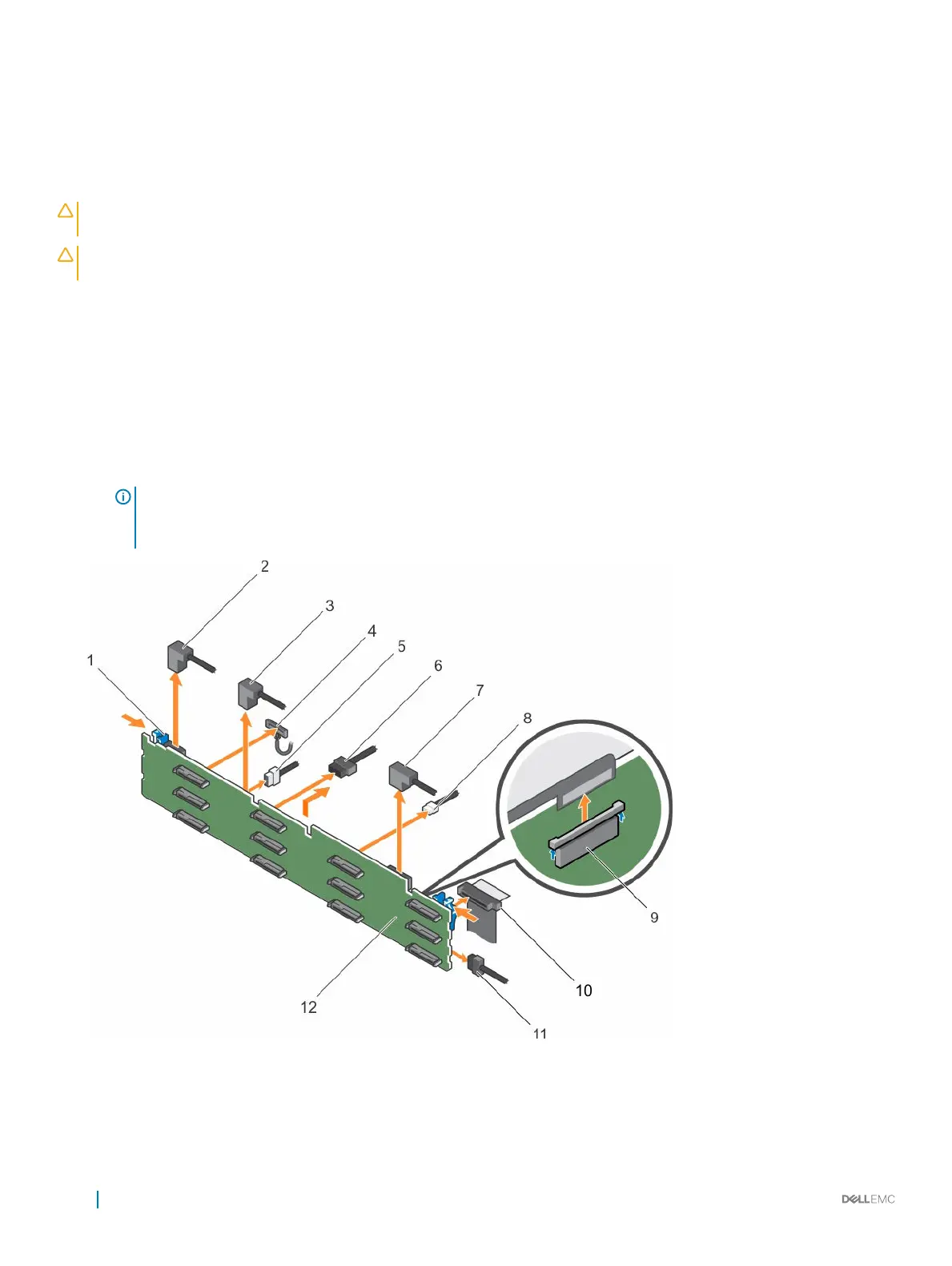
1 Disconnect the SAS/SATA data, signal, and power cable(s) from the backplane.
2 Press the release tabs and lift the backplane upward and slide it toward the back of the chassis.
NOTE: To prevent damage to the control panel flex cable, unlatch the blocking tab on the connector before removing
the flex cable. Do not bend the flex cable at the connector. To unlatch the blocking tab for the x12 backplane, pull the
locking tab up. For the x18 and x2 backplanes, rotate the locking tab 90 degrees clockwise.
Figure 65. Removing the 3.5 inch (x12) SAS/SATA backplane
1
release tab (2) 2 SAS cable A2
3 SAS cable A1 4 left ear control panel cable
110 Installing and removing components










 To Next Page