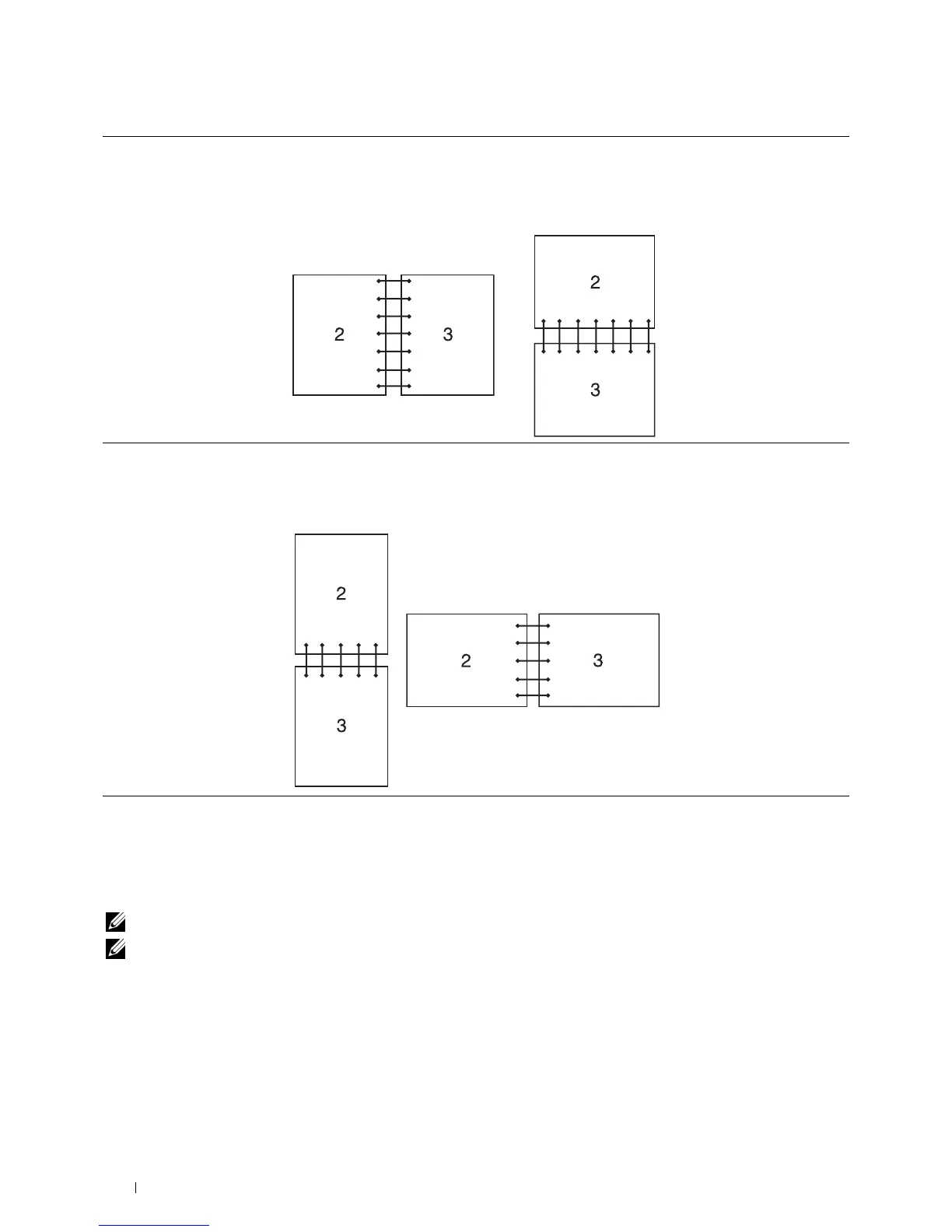
Flip on Long Edge Assumes binding along the long edge of the page (left edge for portrait orientation and top edge
for landscape orientation). The following illustration shows long-edge binding for portrait and
landscape pages:
Portrait Landscape
Flip on Short Edge Assumes binding along the short edge of the page (top edge for portrait orientation and left
edge for landscape orientation). The following illustration shows short-edge binding for portrait
and landscape pages:
Portrait Landscape
Using the Stored Print Feature
When you send a job to the printer, you can specify in the printer driver to store the job in the memory. When you
are ready to print the job, go to the printer and use the operator panel to identify which job in the memory you want
to print.
NOTE: The data in the memory is cleared when the printer is turned off.
NOTE: Stored Print feature is available when:
• The RAM disk is enabled in the printer menu.
• RAM Disk is set to Available in the printer driver.
Overview
The stored printing feature includes the following job types.
Printing 310















 To Next Page