*1
EAP method supports PEAPv0, EAP-TLS, EAP-TTLS PAP, and EAP-TTLS CHAP.
*2
WPS 2.0 compliant. WPS 2.0 works on access points with the following encryption types: Mixed mode PSK,
WPA-PSK AES, WPA2-PSK AES, WPA-PSK TKIP, Open (No Security)
NOTE: When the wireless adapter is installed, you cannot use IEEE 802.1x authentication and/or the Ethernet port for a wired
connection.
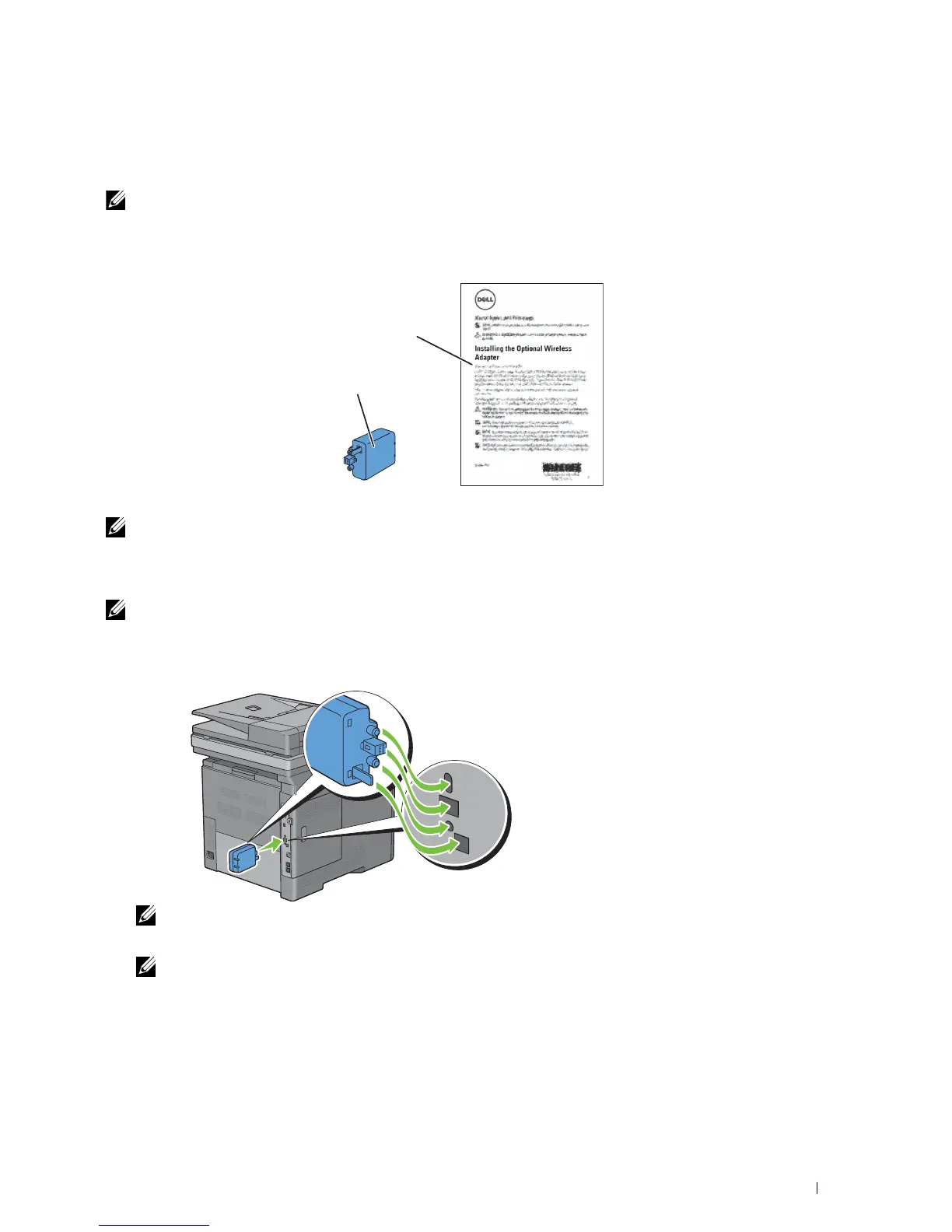
Verifying the Contents of the Box
Installing the Optional
Wireless Adapter
Wireless Adapter
NOTE: To complete wireless installation, you require the corresponding Software and Documentation disc that comes with your
printer, which can also be downloaded from dell.com/support.
Installing the Optional Wireless Adapter
NOTE: The Software and Documentation disc also contains video instructions. On Dell Printer Setup, click Installation Video.
1
Ensure that the printer is turned off.
2
Align the connector and the three protrusions of the wireless adapter with the four holes and insert the adapter.
NOTE: Ensure that the adapter is fully inserted and secured.
3
Turn on the printer.
NOTE: If a message displays telling you to make initial setup on the touch panel, always do as instructed.
4
Print the system settings report to confirm that the wireless adapter is installed correctly.
For details about how to print a system settings report, see "Report / List."
Installing Optional Accessories 51















 To Next Page