Clearing Paper Jams From the DADF
When a document jams while it passes through the DADF, remove the jam according to the following procedure.
NOTE: To prevent document jams, use the document glass for thick, thin, or mixed documents.
1
Remove the remaining documents from the DADF.
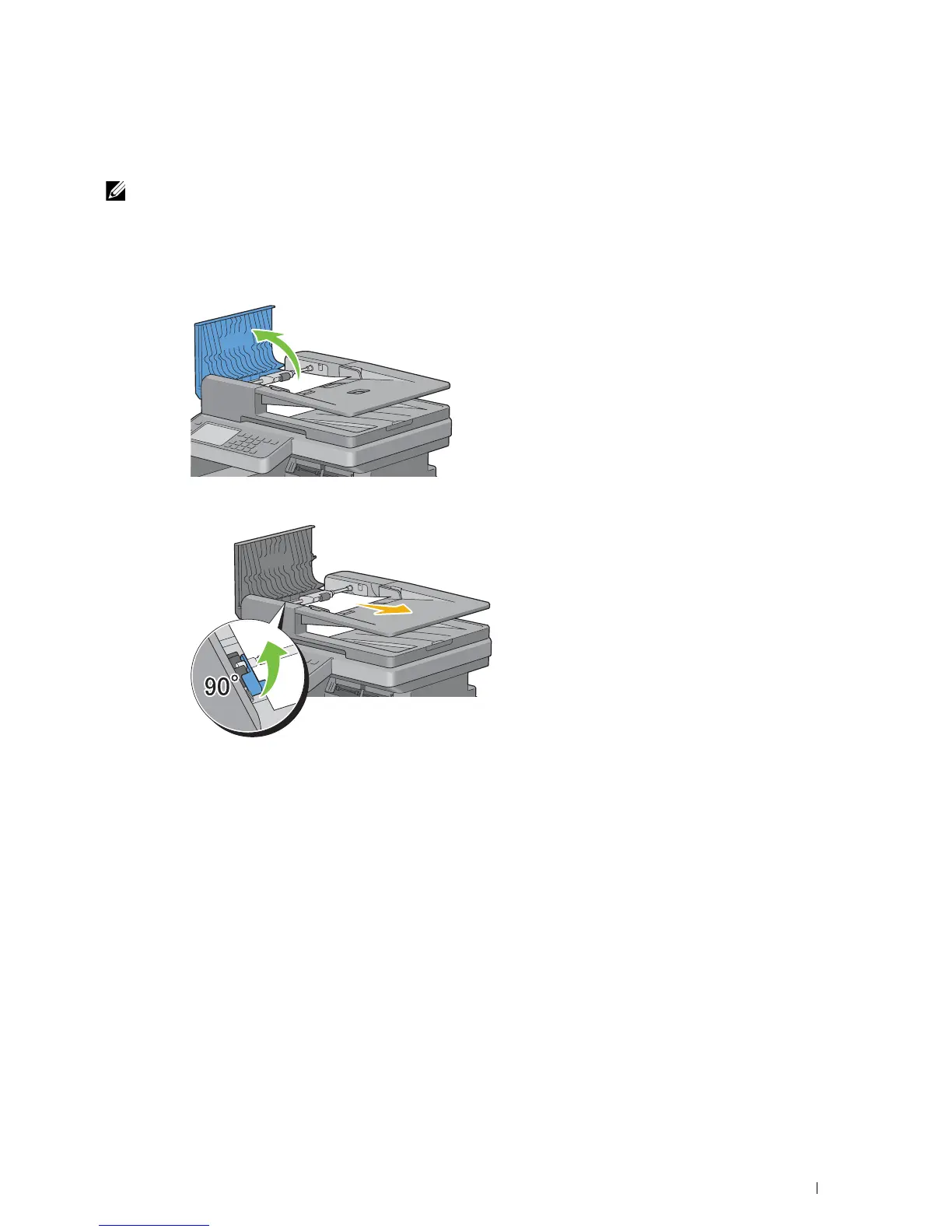
If the document is jammed in the paper feed area:
a
Open the DADF cover.
b
Lift the release lever 90 degrees and remove the jammed document by carefully pulling it to the right.
If you find it difficult to pull the document:
Clearing Jams 515















 To Next Page