8
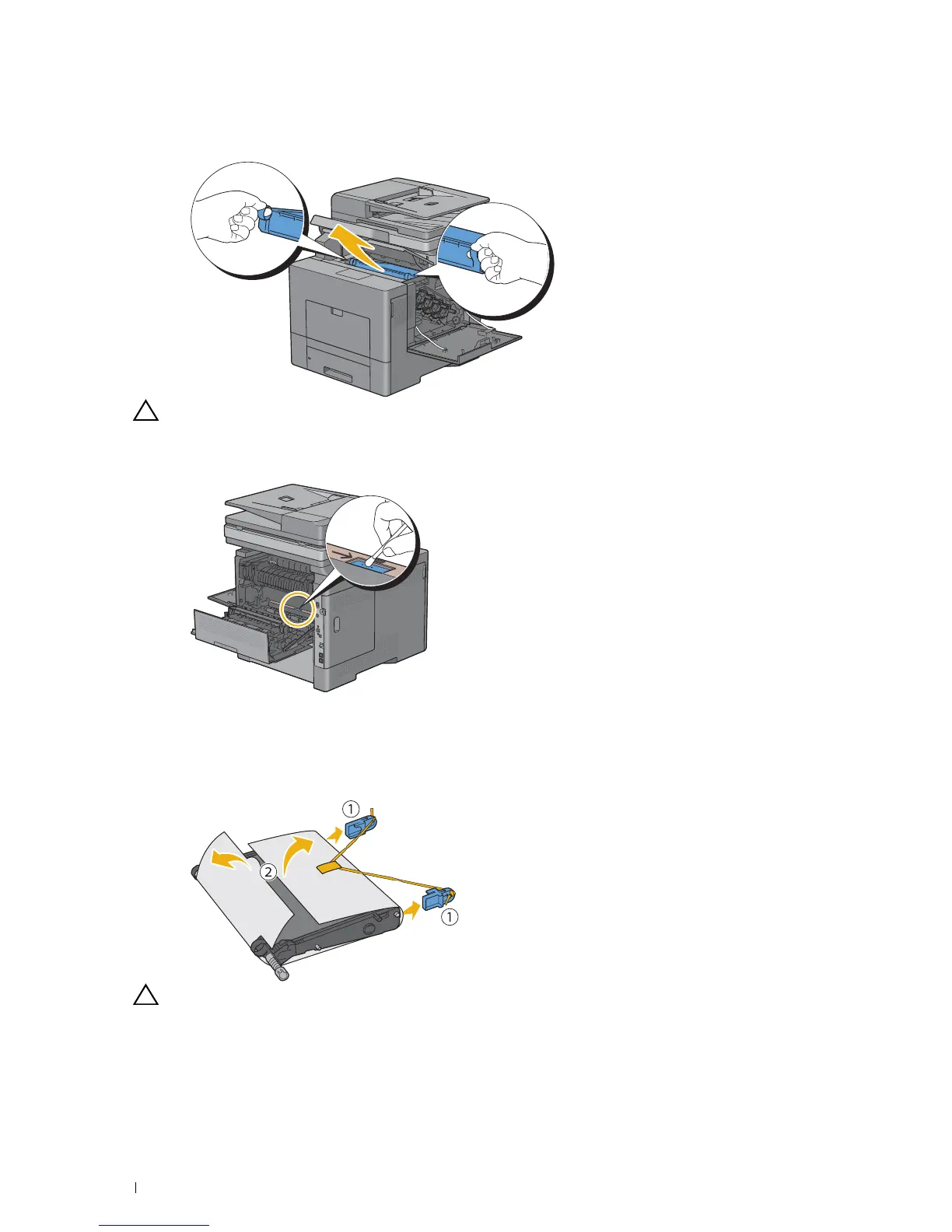
Put your fingers through the loops on both sides of the transfer belt unit, and then pull it out.
CAUTION: If you cannot pull out the unit from the printer, make sure that all of the above procedures are performed
properly.
9
Clean the CTD sensor (as shown) with a clean, dry cotton swab.
Installing a Transfer Belt Unit
1
Unpack a new transfer belt unit.
2
Remove the two orange packing materials first, and then the protective sheet from the transfer belt unit.
CAUTION: Ensure nothing touches or scratches the surface (black-colored film) of the transfer belt unit. Scratches, dirt,
or oil from your hands on the film of the transfer belt unit may reduce print quality.
Maintaining Your Printer
482















 To Next Page