1
2
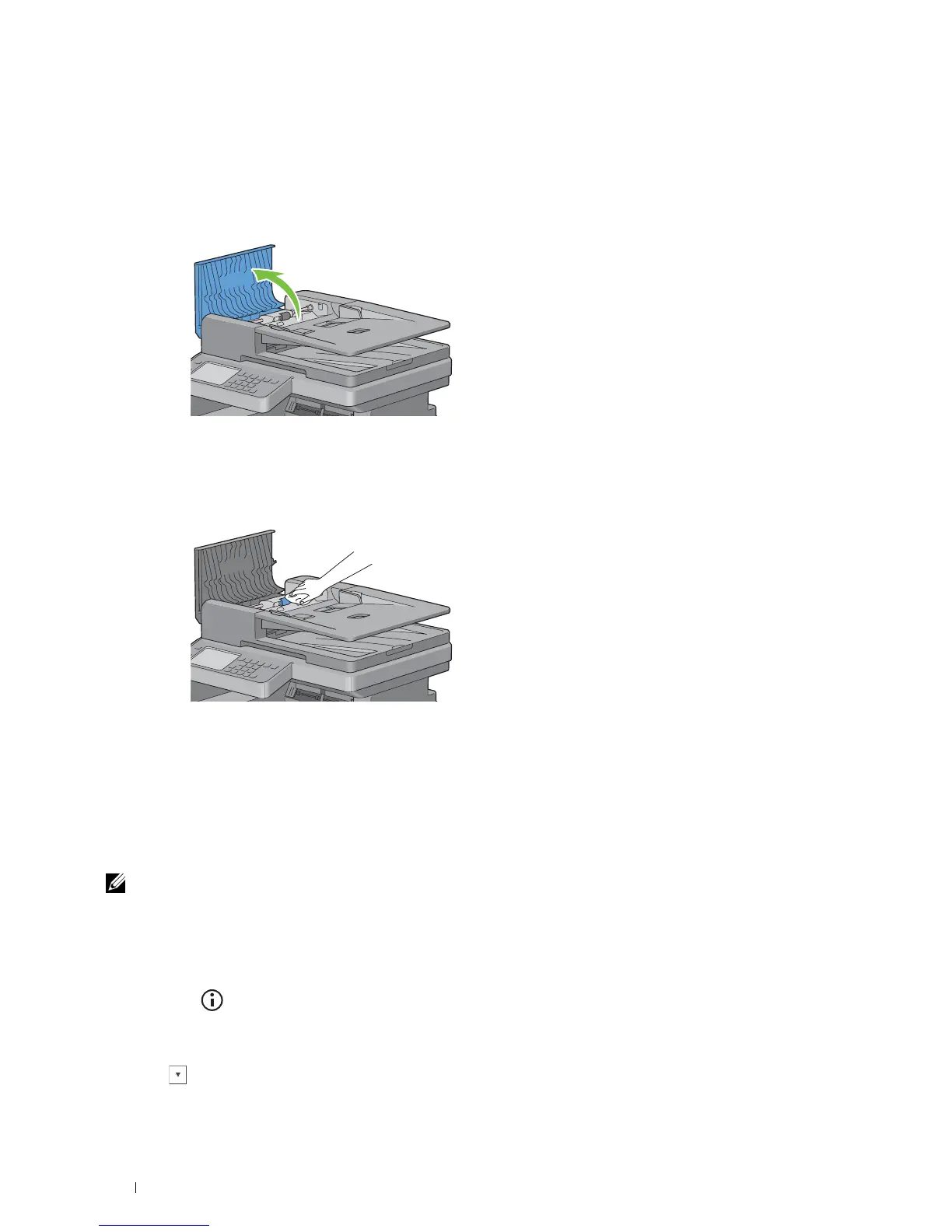
Cleaning the DADF Feed Roller
Keeping the DADF feed roller clean helps ensure the best possible copies. It is recommended to clean the DADF feed
roller at regular intervals.
Open the DADF cover.
Wipe the DADF feed roller with a dry soft lint-free cloth or paper towel until it is clean.
If the DADF feed roller gets soiled with ink stains, paper from the DADF may also be soiled. In this case, slightly
dampen a soft lint-free cloth or paper towel with a neutral detergent or water, and then remove the contamination
from the DADF feed roller until it is clean and dry.
Adjusting Color Registration
To adjust the color registration when you first install the printer or after moving it to a new location, follow the
procedure below.
• Printing the Color Registration Chart
• Determining Values
• Entering Values
NOTE: If the Panel Lock Control is set to Enable, you need to enter the four digit password to enter the Admin
Settings menu.
Printing the Color Registration Chart
When Using the Operator Panel
1
Press the
(Information)
button.
2
Tap t h e
Tools
tab, and then tap
Admin Settings
.
3
Ta p
Maintenance
.
4
Ta p u n t i l
Color Reg Adjust
appears, and then tap
Color Reg Adjust
.
Maintaining Your Printer 502















 To Next Page