3
NOTE: To add sub-folders, create new folders in the shared folder you have created.
For example:
Folder name:
MyShare,
Second-level folder name:
MyPic, Third-level folder name: John
You should now see
MyShare\MyPic\John
in your directory.
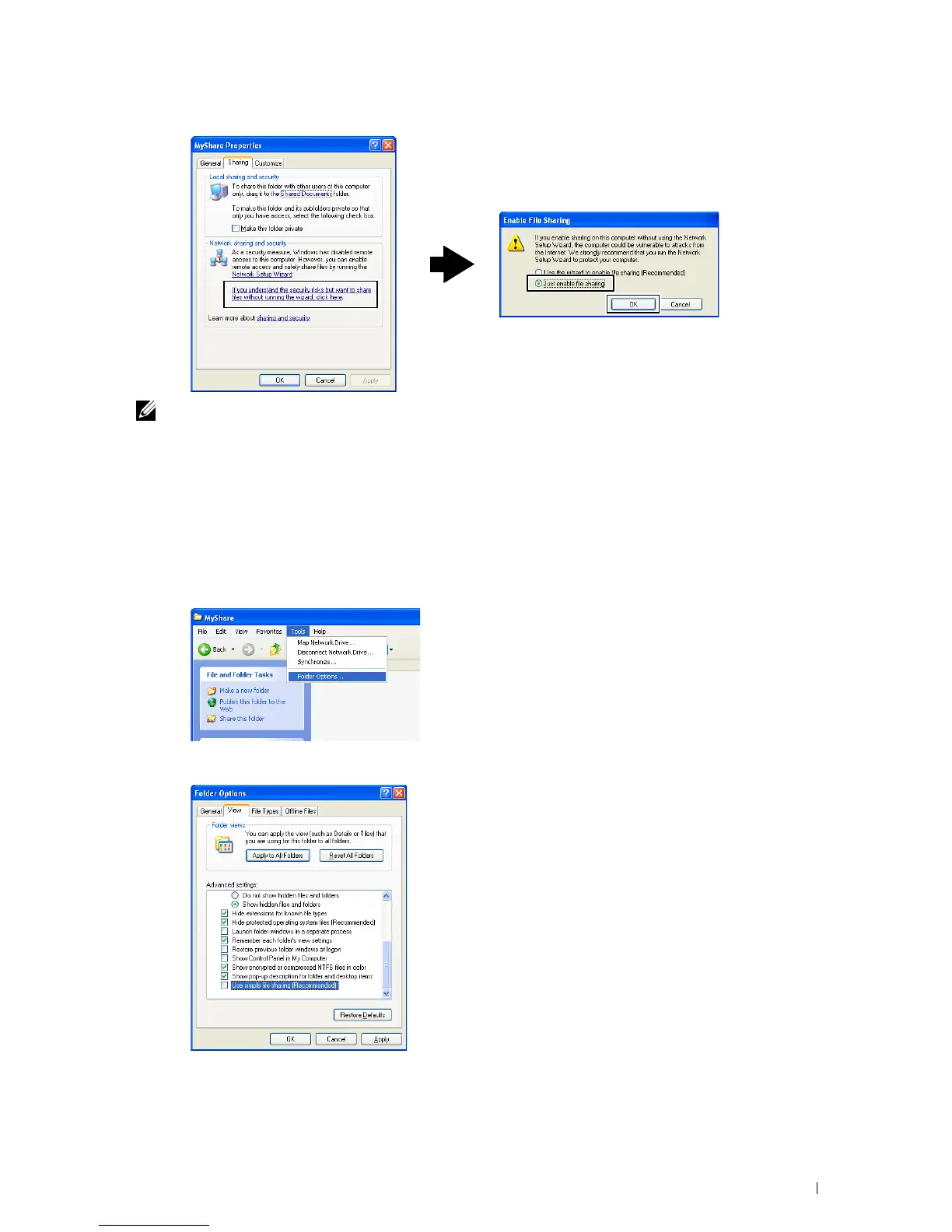
For Microsoft Windows XP Professional:
1
Create a folder in the desired directory on your computer (Example of folder name,
MyShare
) and double-click
the folder.
2
Select
Folder Options
from
Tools
.
Click
View
tab, and then clear the check box of
Use simple file sharing (Recommended)
.
Click
OK
.
Scanning 351
4















 To Next Page