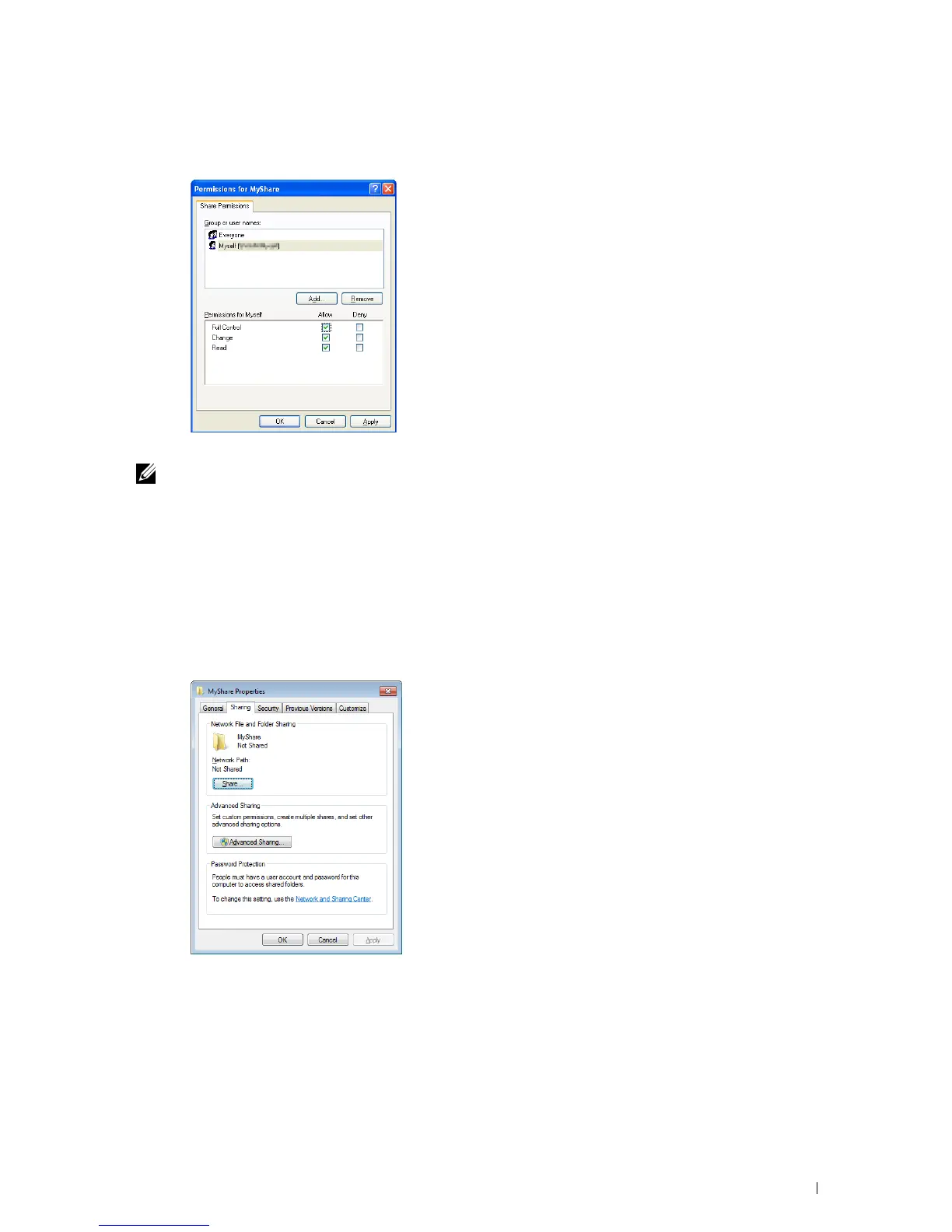
12
Click on the user login name that you have just entered. Select
Full Control
check box. This will grant you
permission to send the document into this folder.
13
Click
OK
.
NOTE: To add sub-folders, create new folders in the shared folder you have created.
For example:
Folder name:
MyShare,
Second-level folder name:
MyPic, Third-level folder name: John
You should now see
MyShare\MyPic\John
in your directory.
For Windows Vista, Windows Server 2008, Windows Server 2008 R2, Windows 7, Windows 8, Windows Server 2012:
1
Create a folder in the desired directory on your computer (Example of folder name,
MyShare
).
2
Right-click on the folder, and then select
Properties
.
The
Properties
dialog box appears.
3
Click on the
Sharing
tab, and then select
Advanced Sharing
.
4
Select the
Share this folder
check box.
Scanning 353















 To Next Page