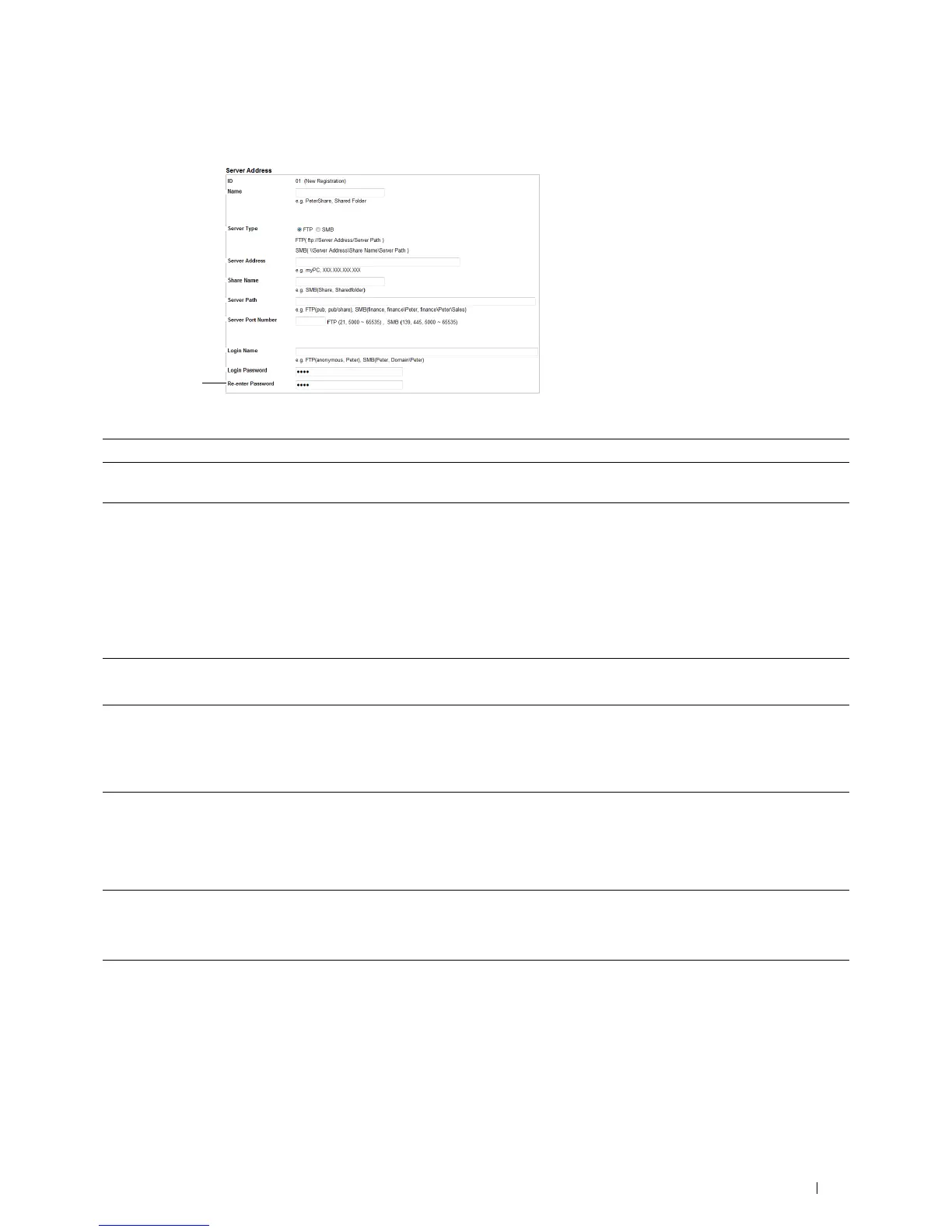
Server Address
page appears.
1
2
3
4
5
6
7
8
9
To fill in the fields, enter the information as follows:
(1) Name Enter a friendly name that you want it to appear on the Server address book.
(2) Server Type Select FTP if you store document on a FTP server.
Select SMB if you store documents in a shared folder on your computer.
(3) Server Address Enter a FTP server name that you have shared out or a server name or IP address of your computer.
•For FTP:
Server name: myhost.example.com
(myhost: host name, example.com: domain name)
IP address: 192.168.1.100
•For SMB:
Server name: myhost
IP address: 192.168.1.100
(4) Share Name Enter the name of the shared folder on the recipient computer. For SMB only.
• For SMB: e.g. Share, Sharefolder
(5) Server Path Enter the subdirectory path where you want the scanned document to be stored. Ensure that the
subdirectory path is already created in the shared folder or FTP server.
• For FTP: e.g. pub, pub/share
• For SMB: e.g. finance, finance\Peter, finance\Peter\Sales
(6) Server Port Enter the Server Port Number. If you are unsure, you can enter the default value of 21 for FTP or 139 for
Number SMB.
Available ports are:
FTP: 21, 5000 - 65535
SMB: 139, 445, 5000 - 65535
(7) Login Name Enter the user account name to allow access to a shared folder on your computer or to a FTP server.
• For FTP: Contact the system administrator.
• For SMB: Windows login name that you have specified in the procedure 1.
(8) Login Password Enter the password corresponding to the above login name.
• For FTP: Contact the system administrator
• For SMB: Empty password is not valid in the Network (Computer) feature. Ensure that you have a valid
password for the user login account. (See "Setting a Login Name and a Password (SMB Only)" for details
on how to add a password in your user login account.)
Scanning 357















 To Next Page