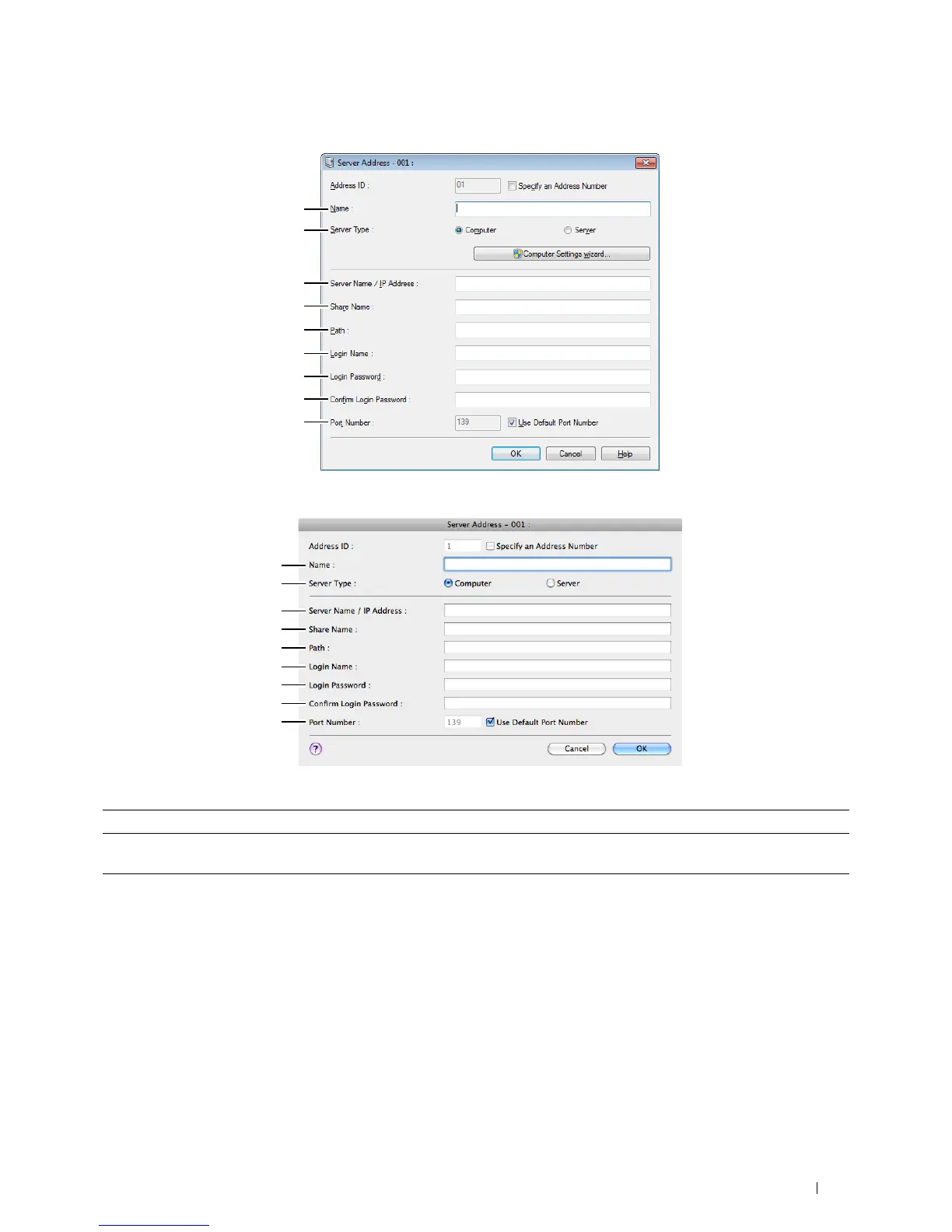
For Microsoft Windows:
For Apple Macintosh:
1
2
3
4
5
6
7
8
9
1
2
3
4
5
6
7
8
9
To fill in the fields, enter the information as follows:
(1) Name Enter a friendly name that you want it to appear on the Server address book.
(2) Server Type Select Computer if you store documents in a shared folder on your computer.
Select Server if you store documents on a FTP server.
(3) Server Name/IP
Address
Enter a server name or IP address of your computer or the FTP server name that you have shared out.
The following are examples:
• For Computer:
Server name: myhost
IP address: 192.168.1.100
• For Server:
Server name: myhost.example.com
(myhost: host name, example.com: domain name)
IP address: 192.168.1.100
Scanning 359















 To Next Page