184 Adding and Replacing Parts
NOTICE: Hard drives are extremely fragile; even a slight bump can damage the
drive.
NOTE: Dell does not guarantee compatibility or provide support for hard drives
from sources other than Dell.
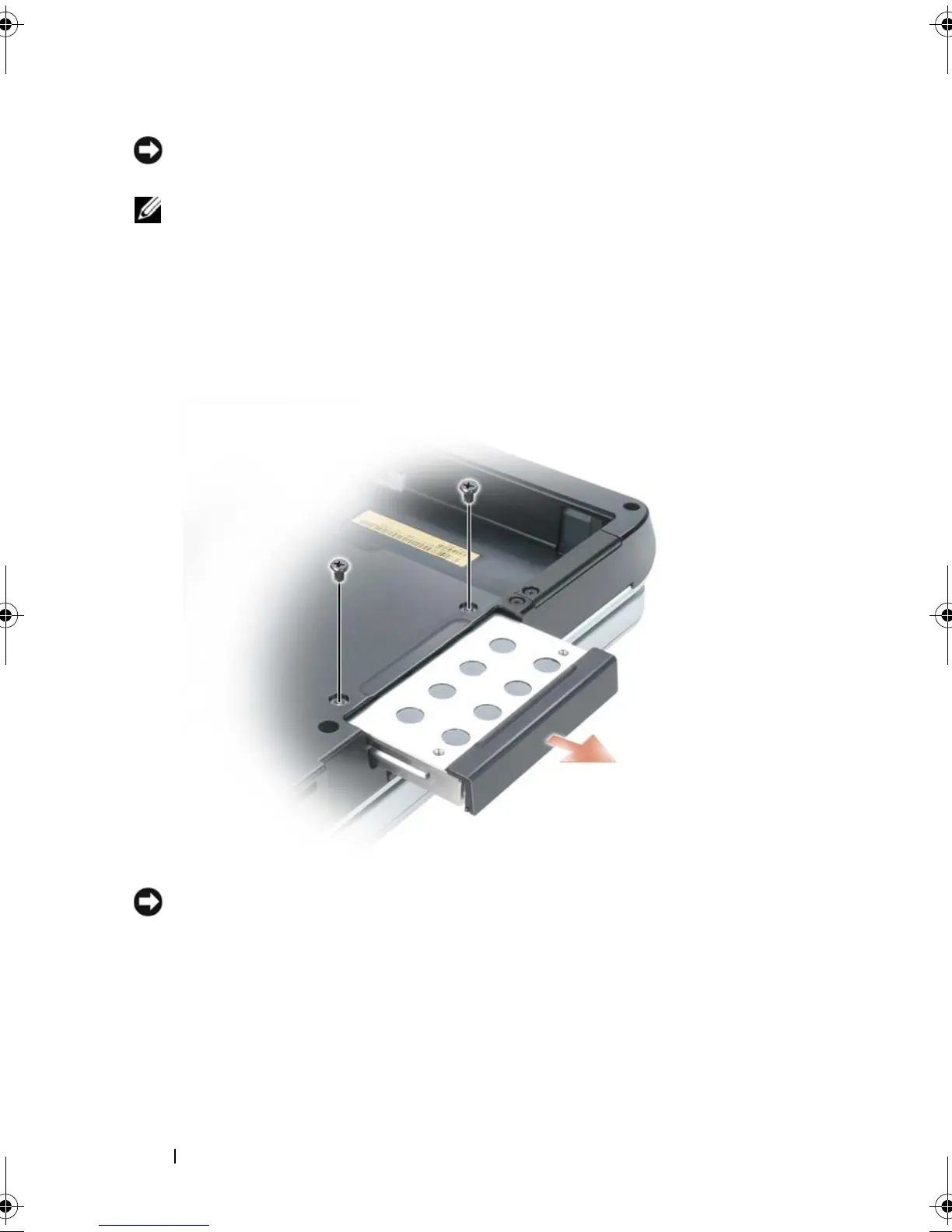
To replace the hard drive in the hard drive bay:
1
Follow the procedures in "Before You Begin" on page 179.
2
Turn the computer over, and remove the two M3 x 3-mm hard drive
screws.
NOTICE: When the hard drive is not in the computer, store it in protective antistatic
packaging. See "Protecting Against Electrostatic Discharge" in the Product
Information Guide.
3
Slide the hard drive out of the computer.
4
Remove the new drive from its packaging. Save the original packaging for
storing or shipping the hard drive.
book.book Page 184 Tuesday, August 28, 2007 10:20 AM















 To Next Page