Adding and Replacing Parts 191
4
Replace the cover.
Mini Card
CAUTION: Before you begin any of the procedures in this section, follow the
safety instructions located in the
Product Information Guide
.
NOTICE: To prevent damage to the system board, remove the main battery before
you service the computer.
NOTE: Depending on your system, the Mini Card may be located under the
keyboard or under a cover on the bottom of your system.
1
Follow the procedures in "Before Working Inside Your Computer" on
page 180.
2
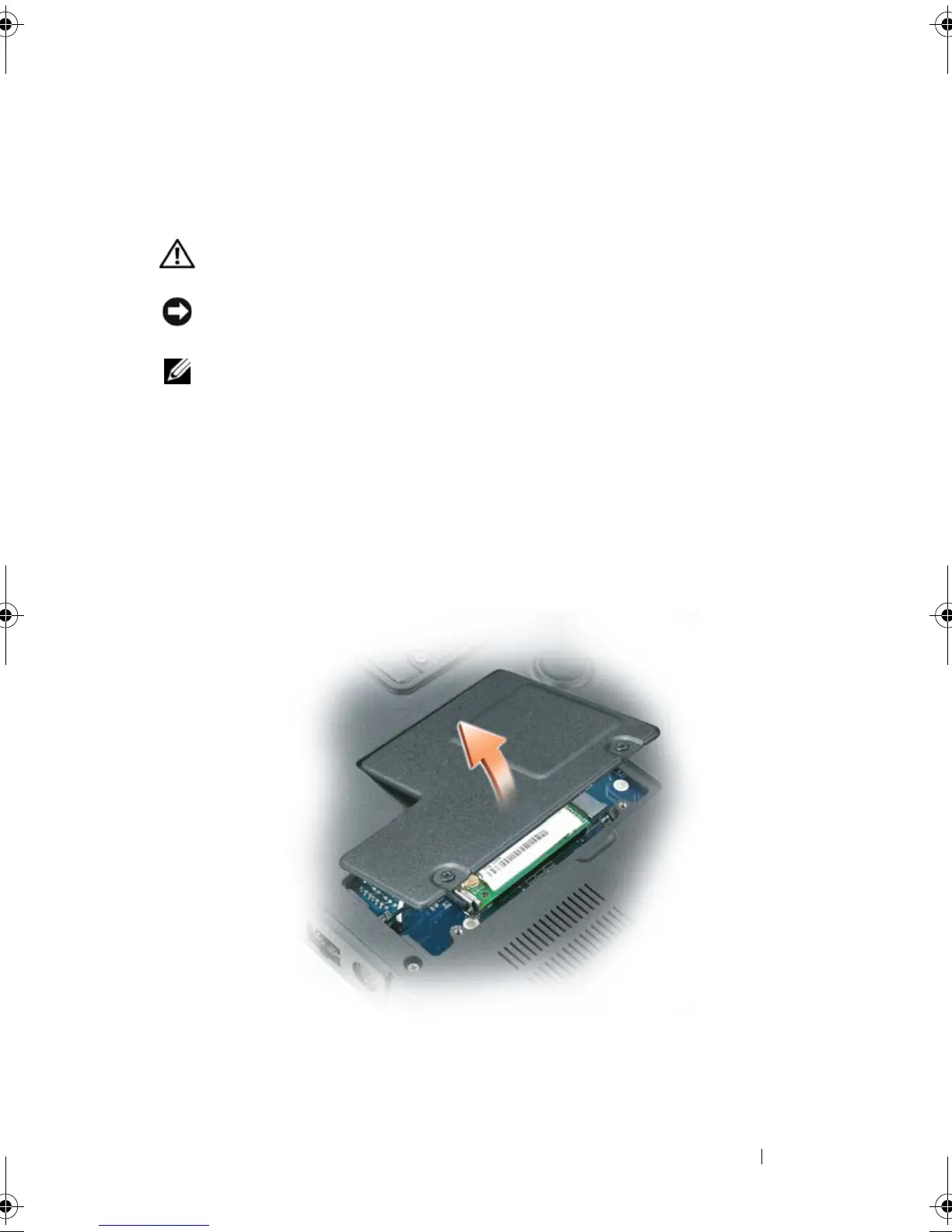
Turn the computer over and loosen the captive screws from the mini-
card/modem cover.
3
Place your finger under the cover at the indentation, and lift the cover to
remove it.
book.book Page 191 Tuesday, August 28, 2007 10:20 AM















 To Next Page