Adding and Replacing Parts 183
4
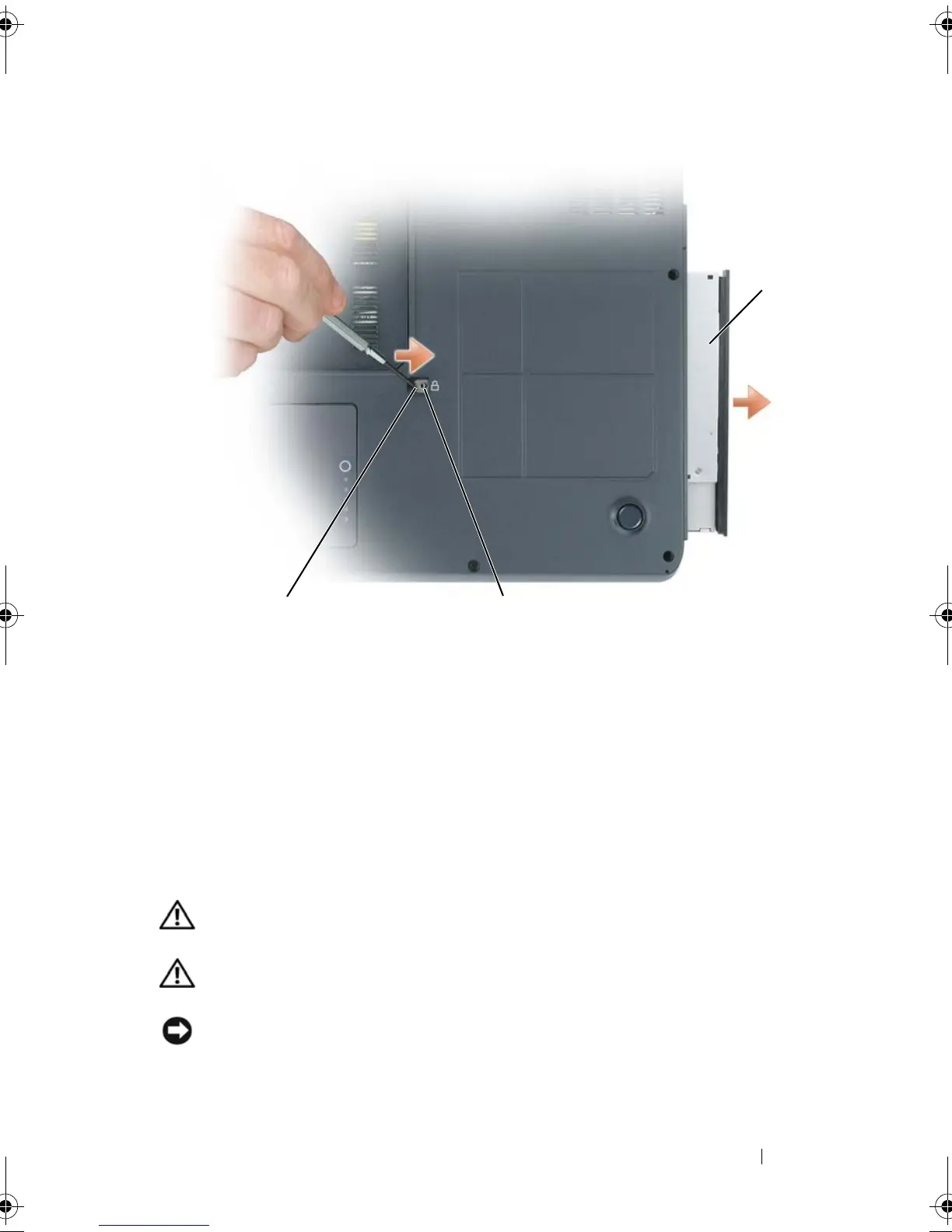
Pull the drive out of the drive bay.
Hard Drive
Removing the Hard Drive
CAUTION: If you remove the hard drive from the computer when the drive is hot,
do not touch
the metal housing of the hard drive.
CAUTION: Before working inside your computer, follow the safety instructions
located in the
Product Information Guide
.
NOTICE: To prevent data loss, turn off your computer before removing the hard
drive. Do not remove the hard drive while the computer is on, in standby mode, or in
hibernate mode.
1 optical drive 2 indentation for M2.5 x 8-mm security
screw
3 notch
2
1
3
book.book Page 183 Tuesday, August 28, 2007 10:20 AM















 To Next Page