Adding and Replacing Parts 219
10
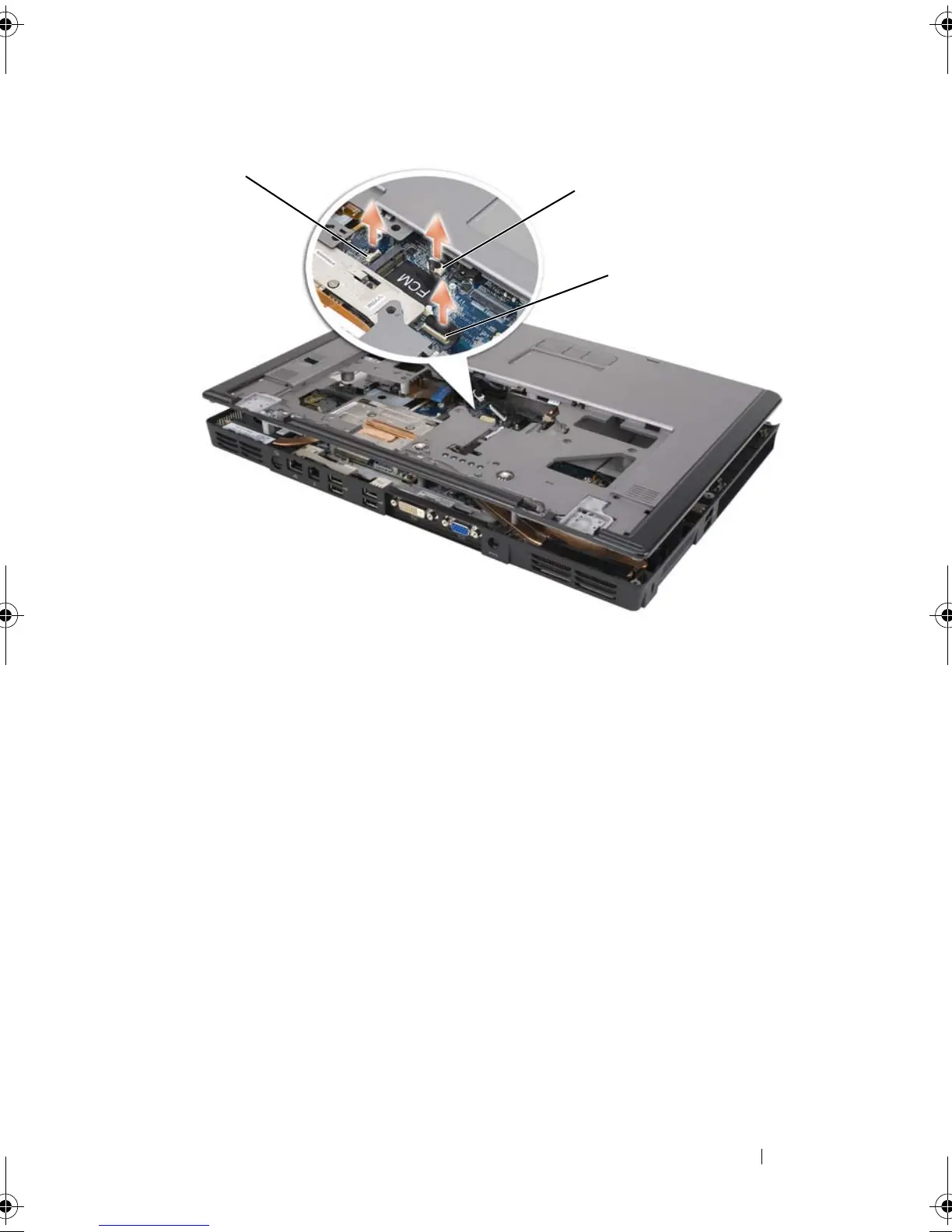
Disconnect the LED board connector.
11
Lift the palm rest and remove it from the computer.
Replacing the Palm Rest
1
Align the palm rest with the base and gently snap the palm rest into place.
2
Reconnect the touch-pad connector to the system board.
3
Reconnect the LED board connector to the system board.
4
Replace the coin-cell battery (see "Replacing the Coin-Cell Battery" on
page 215).
5
Replace the six M2.5 x 5-mm screws on the top side of the palm rest.
6
Turn the computer over, and replace the 12 M2.5 x 8-mm screws on the
bottom of the computer.
1 biometric reader connector 2 touch-pad connector
3 LED board connector
1
2
3
book.book Page 219 Tuesday, August 28, 2007 10:20 AM















 To Next Page