Adding and Replacing Parts 223
Replacing the USB Port Board
1
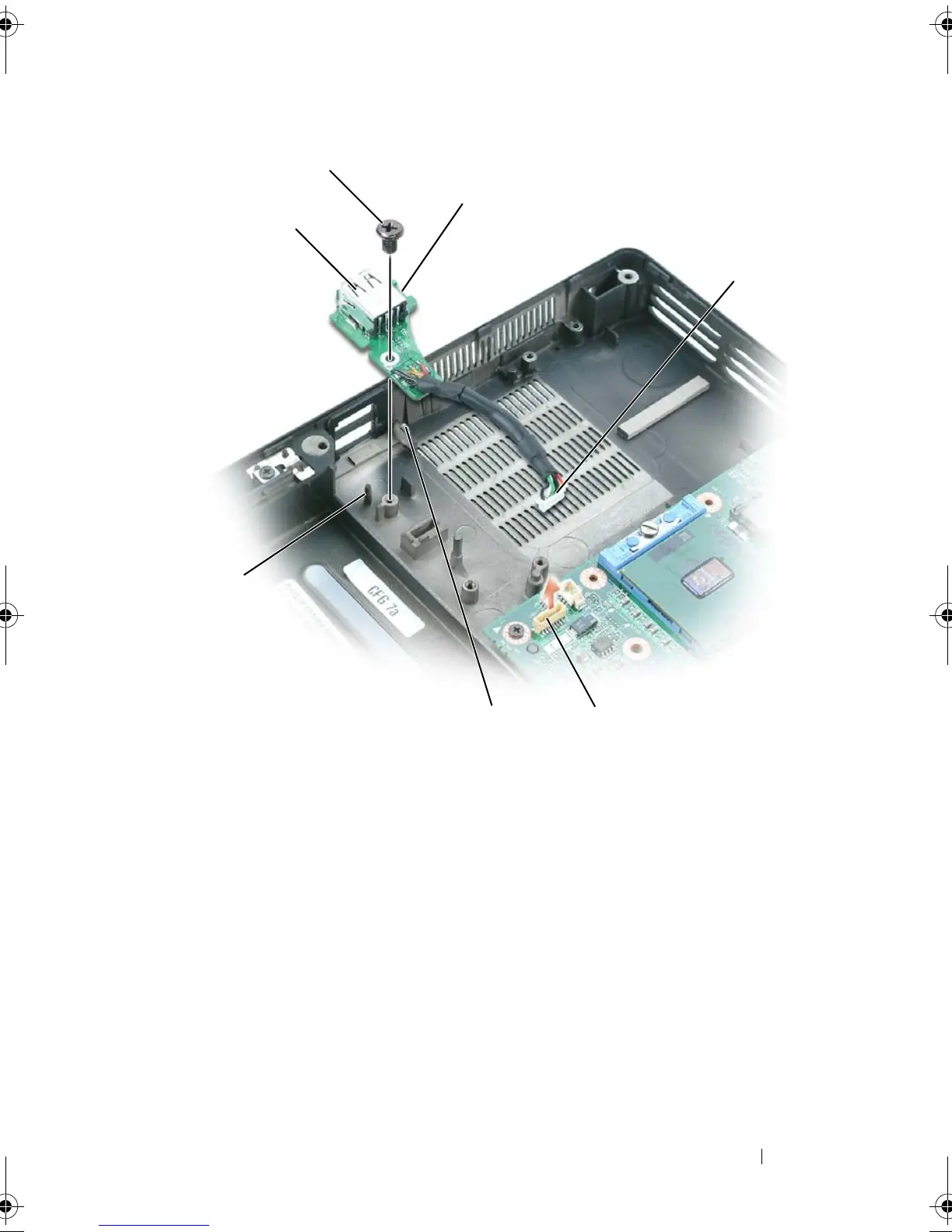
Insert the notch on the USB port board under the small tab on the
computer base and the other side of the board over the pin.
2
Replace the M2.5 x 5-mm screw.
3
Reconnect the cable to the system board.
4
Replace the palm rest (see "Replacing the Palm Rest" on page 219).
1 USB port board 2 M2.5 x 5-mm screw
3 notch 4 USB-port-5 board connector
5 system board connector 6 tab
7pin
1
5
3
4
6
7
book.book Page 223 Tuesday, August 28, 2007 10:20 AM















 To Next Page