246 Adding and Replacing Parts
10
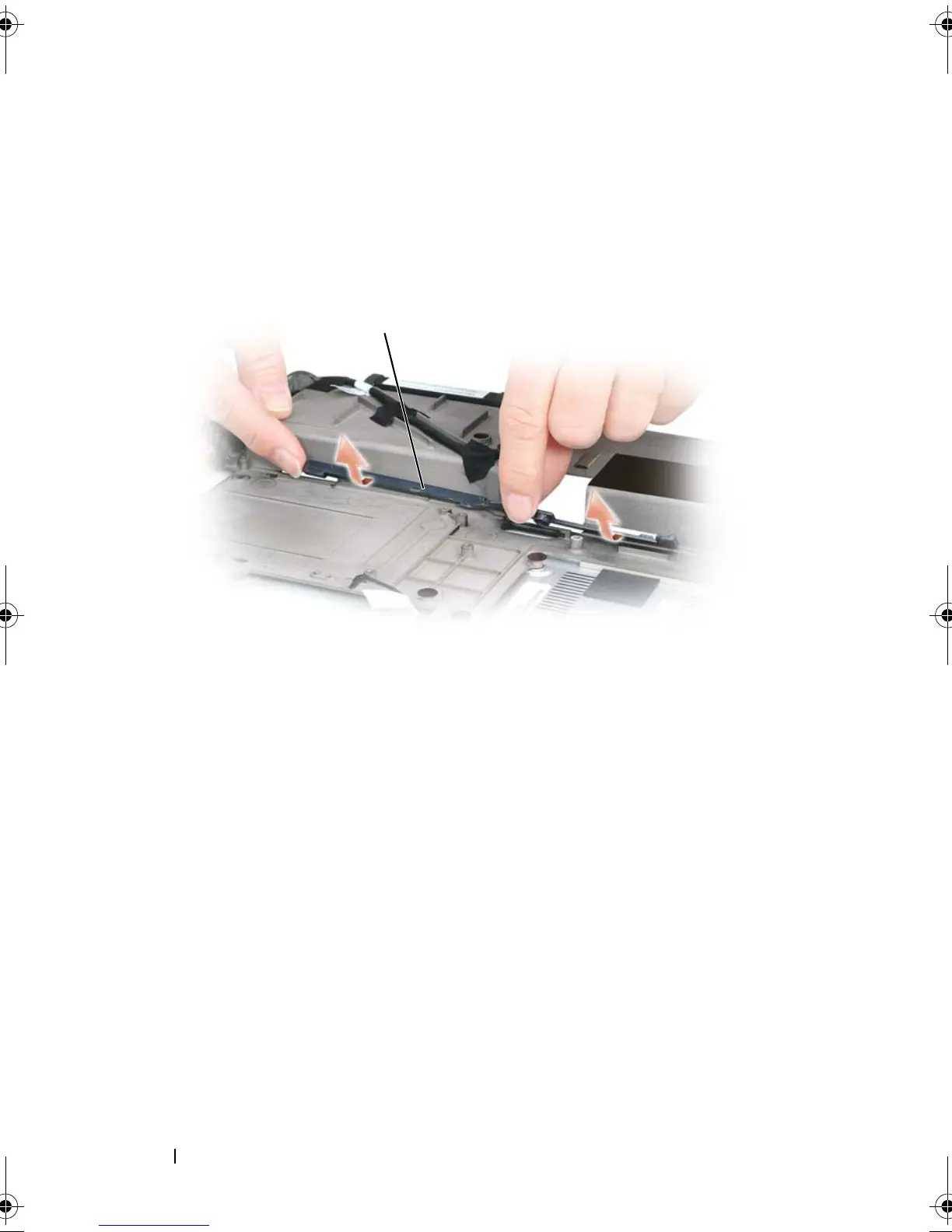
Remove the plastic battery-latch assembly by twisting the assembly
slightly and lifting it out of the channel and away from the computer base.
Replacing the Battery Latch Assembly
1
Insert the latch assembly into the channel on the computer base, and press
it into place.
2
Using a small screwdriver, hook the spring over the hook on the computer
base.
3
Place the battery latch release under the computer base, line it up with the
hole in the base, and then replace the screw in the assembly.
Ensure that the newly installed latch moves smoothly and freely when
pushed and released.
4
Replace the hard drive bay and reinsert the four M2 x 3-mm screws.
5
Replace the system board and the four M2.5 x 5 screws.
1 hook 2 spring
1 battery latch assembly
1
book.book Page 246 Tuesday, August 28, 2007 10:20 AM















 To Next Page