216 Adding and Replacing Parts
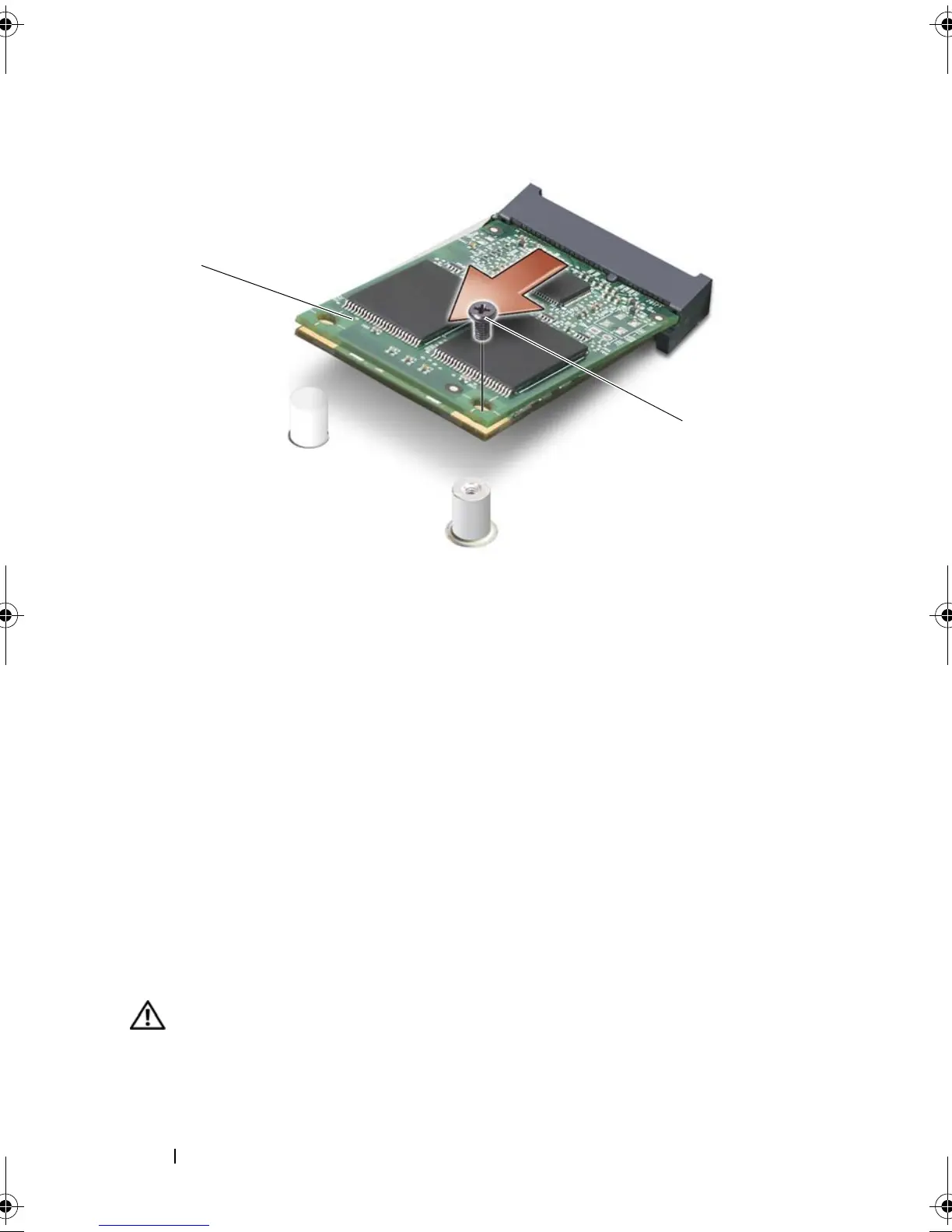
Replacing the FCM
1
Align the flash card module with the top of the system board and gently
snap it into place.
2
Replace the M2.5 x 5-mm screw on the top of the flash card module.
3
Replace the display assembly (see "Replacing the Display Assembly" on
page 203).
4
Replace the keyboard (see "Keyboard" on page 198).
5
Replace the hinge cover (see "Replacing the Hinge Cover" on page 198).
6
Replace the optical drive (see "Optical Drive" on page 182).
Palm Rest
CAUTION: Only trained service technicians are authorized to
remove
or
replace
the component covered by the following procedure. See your
Product Information
Guide
for complete information about safety precautions, working inside the
computer, and protecting against electrostatic discharge.
1 FCM 2 screw
1
2
book.book Page 216 Tuesday, August 28, 2007 10:20 AM















 To Next Page